Performance
The 10-Minute Monthly Website Health Check
By Fidyan Ahmed, founder · Published · Last updated · 6 min read

On this page
A website maintenance checklist should fit in a short sit down once a month. You are not rebuilding the site. You are proving the form works, the number taps, a few links open, and a backup has a date. The title says ten minutes because that is the habit, not a lab promise.
Key takeaways
- Test the form and the phone number every month.
- Skim speed on a phone, and do not chase a perfect score.
- Click the links in the menu and one old address.
- Read new reviews and name the newest backup.
Forms
The form is the point of the check. Submit it from your phone. Use a subject that says test so the office knows. Confirm it arrives in the inbox a person reads. Open it and see the address field. If the mail never comes, the site is down for leads even if it looks fine.
Also tap the phone number. It should dial the business line. If a banner covers the button, that is a fail. The security guide explains why a form that emails the wrong person is urgent. Fix the destination and the password if that happens.
Do not add fields during the check. You are testing the path you have. A longer form is a different project. The form guide is that project. This month, only prove the current form arrives.
Use a subject line that says test. Ask the person who watches the inbox to reply when it lands. If they never see it, check the spam folder and the notification address. The website audit can show whether the form is hard to find. Only the inbox proves the mail arrived.
Honor the offer you posted, or do not post an offer at all.
This week, if you have not tested lately, do it today. Write the date in a note. That note is the start of the monthly habit.
Speed
Open the home page on a phone using cellular data. Does the number show without a long wait? Does the page jump after a banner? You do not need a trophy score. You need a page a customer can use. The speed checker can describe the page in plain language if you want a second look.
If the top photo is huge, shrink it later. Do not start a redesign in the middle of the monthly check. Note the problem and finish the list. A slow page with a working form is better than a fast page with a dead form. Order your fixes that way.
Keep the useful answer even when you change the colors and the photos.
This week, load the home page once on a phone away from the office Wi-Fi. If the number is late, write "shrink the first photo" on the note. That is enough for this pass.
Broken links
Click the items in the menu. Click the phone number if it is a link. Click one button in the footer. If any land on an error, write the address down. The broken link checker can look at home page links. It will not replace a click you do yourself on the job page you care about.
Old campaigns and old blog posts are where links rot. If you have an address from a postcard, type it. A redirect should land on a real page in one hop. The redesign guide is what you need if many old addresses fail at once. One broken menu item is a five minute fix, not a new site.
This week, click the menu on your phone. Fix the first broken item before you add a new page.
Reviews
Open the Google profile and read anything new. Reply if a fact is needed. Do not argue. Make sure the site does not show a review you cannot find on the profile. If you ask for reviews, confirm the link still opens your card.
A health check is also a good time to see if the services on the profile still match the site. A new job you added on the site and forgot on the card is a small fix. A job you stopped should come off the public list. The maintenance plan guide puts this next to backups so it is not a separate project.
Check that any star line on the site matches a real profile you can open. Do not type a rating from memory. If you do not show a rating, skip that comparison and still read the words. A new complaint about a wrong phone number is a fix for this same sitting. Write down that you looked. Reply only when a fact is wrong. Keep the reply calm and short. Then stop for the month.
A redirect that lands on an error is still a broken address.
This week, read the newest review out loud. If there is none, do not invent one. Note that you looked.
Analytics
If you have a simple count of form fills, look at it. The question is whether leads show up at all. You do not need a wall of charts. If the form test arrived but the report shows nothing, the tracking is wrong or missing. Fix tracking later. The inbox is the source of truth this month.
If you have no analytics, skip this block and do not feel behind. Set it up when you can, after the form works. Do not paste a tracking tag you do not understand in the middle of the check. A broken tag is not an emergency. A broken form is.
This week, if a report exists, write one sentence: leads appeared, or they did not. If no report exists, write that too. Move on to backups.
Backups
Find the newest backup date. If you cannot find it, that is the finding. Ask the host or open the backup screen. You do not need to restore every month. You need to know a copy exists and roughly how old it is. Before a big update, take a fresh copy. The security guide explains why a copy on the same server only is a weak plan.
Write the date on the same note as the form test. A month from now you will not remember. Website maintenance can own this note if you want it off your desk. You should still be able to ask for the date and get an answer.
| Minute | Check |
|---|---|
| First | Form arrives, number taps |
| Next | Home page shows the number on a phone |
| Next | Menu links open |
| Next | New reviews are real |
| Next | One sentence on leads, if you track them |
| Last | Newest backup has a date |
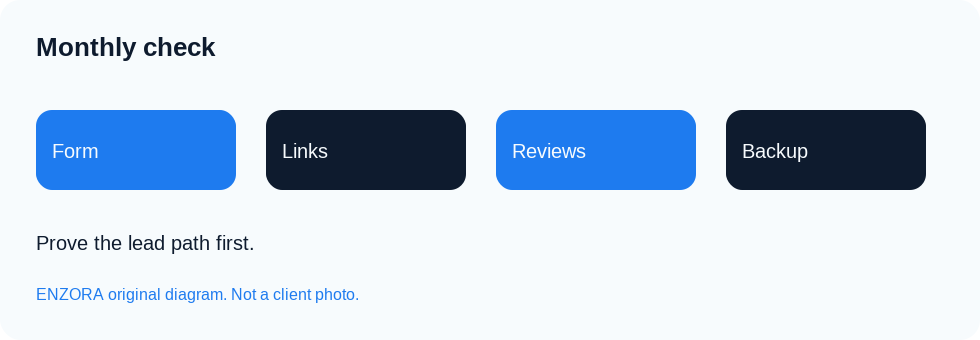
The check diagram is that order. Lead path first. Polish later.
This week, run the first and the last row. If both pass, put the next date on the calendar. If the form fails, fix that before you admire the backup.
Next step
Want the monthly list done with you once? Get a free site review. Tell us who reads the form inbox. We will look at the lead path and the backup date. We will not invent a traffic total.
Questions
Do I really need a monthly check?
If the site brings calls, yes. A form can break after an update and sit quiet for weeks. A short check catches that. If you never look, you find out from a customer who could not reach you. Put the check on a day you already do paperwork.
What if I only have a few minutes?
Do the form test and the phone tap. Those two prove the site can still make a lead. Speed, links, reviews, and backups can follow if time remains. A perfect checklist you skip is worse than two checks you keep.
Should I check analytics every month?
Look if you already have it, and only for a simple question. Did form fills or calls show up? If you do not have analytics, do not block the health check on a new setup. The form test is still the proof a lead can arrive.
Who should do the check?
Someone who can see the inbox and the site. That might be you. It might be the person on [website maintenance](/services/website-maintenance). The owner should still know the backup exists. Do not leave the only knowledge in one freelancer's head. Write their name down in the plan.
What do I do if something fails?
Fix the lead path first. A dead form or a dead number is urgent. A slow image can wait until the form works. Write down the failure and the date. If you cannot fix it, send the note to whoever holds the login.
Was this helpful?
Related ENZORA services
Want help with your website?
Get a fixed quote from the ENZORA team. We work with businesses worldwide.