SEO
Website Redesign Without Losing Google Rankings
By Fidyan Ahmed, founder · Published · Last updated · 5 min read

On this page
Website redesign seo is mostly a list of addresses. People and Google already use some of your URLs. If the new site throws those away, you look new in the worst way. Keep what still matches a job. Redirect what must move. Then watch for a few days.
Key takeaways
- Write down every live address before you design.
- Redirect each changed address once, to the closest new page.
- Keep the useful words, not only the new look.
- Check links and Search Console after launch, not only before.
URL inventory
An inventory is a list of the addresses that exist today. Home, each service, contact, old blog posts, and any page you forgot. Export them from the sitemap if you have one, and click the menu too. Pages that are not in the menu can still be in search.
Mark each address keep, move, or retire. Keep means the path stays. Move means a new path plus a redirect. Retire means the page should not come back, and the old address should not sit as a dead error if people still have the link. Send a retired page to the closest useful page, or to a clear gone message if nothing is close. Do not send everything to the home page if a better page exists.
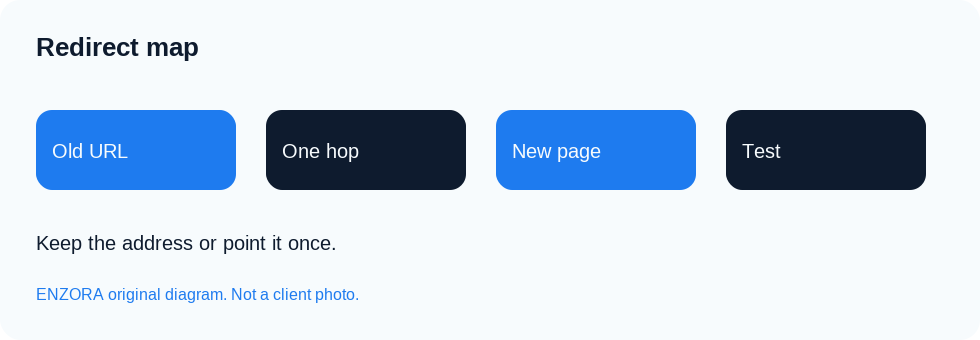
Picture a water heater URL that has been on invoices for years. The redesign calls it thermal solutions and changes the path. The old link in a customer's email breaks. The inventory would have caught it. The redirect map diagram is old address, one hop, new page. Website redesign should start from that list, not from a color palette. The service page guide is how to refill a page you keep.
Honor the offer you posted, or do not post an offer at all.
This week, paste every address from your menu and your sitemap into one note. If you find a page you did not remember, decide keep or move before the new design hides it.
Redirect map
A redirect sends the old address to the new one. One hop is the goal. Google's redirect guide describes why a permanent redirect is the usual choice when a page has moved for good. A chain of three hops is slower and easier to break.
Write the map as two columns. Old path. New path. Do not leave a row blank. The redirect checker shows the hops after the rule is live. The broken link checker looks at links on a page. Use both after launch. A map that lives only in a slide deck is not a redirect.
Test with the full old address, including http and www versions if you use them. A rule that works on one version and fails on another still loses people. Update the Google profile if the website field used an old path.
One old address should point at one new page about the same job. Sending every old service to the home page throws away the match. If you retired a job, point the address at the closest job you still do, and say so on that page. Then test the hop. A redirect that lands on an error is not done. Test it on a phone too.
This week, pick three important old addresses and write where they should go. If you cannot name the new page, you are not ready to launch that part.
Content parity
Parity means the new page still covers the job. If the old page explained emergency calls and the new page only shows a photo, you dropped the answer. Bring the true sentences forward. Cut the fluff. Add what was missing, such as towns or a form. Do not start from a blank slogan.
Titles should still name the job. A redesign that sets every title to the company name makes the results look the same. Keep unique titles. Keep the phone number in text, not only in a picture. A prettier header that hides the number is a conversion loss even if search is fine.
Photos should be yours. A redesign is a bad moment to paste stock houses. If a page had a useful FAQ, keep the real questions. The monthly health check is what you run after the new site is up so the form still works.
This week, read the old and new version of one service page side by side. Highlight any promise or limit that disappeared. Put it back or decide in writing to drop it.
Launch checklist
Launch day is a test day, not a party. Before you switch, the map is loaded, the new pages open, and a backup of the old site exists. After you switch, you click the old addresses, you send a test form, and you tap the phone number. You sign in to Search Console if you have it and look for a sudden crawl error.
Do not change the domain on the same day you change every path unless you must. One big change is easier to debug than three. Tell the office the new site is live so they do not keep sending the old PDF with dead links.
Keep the old backup until you trust the new site. A rollback is a feature. If the form is dead, you want a way back. Write who can roll back and how.
| Before launch | After launch |
|---|---|
| Address list is complete | Old addresses hop once |
| Redirects are written | Form test arrives |
| Backup exists | Phone number taps |
| Titles still name jobs | Profile link is the new site |
| Someone can roll back | Search Console is checked |
This week, if a redesign is already underway, ask for the redirect map. If nobody has one, pause the visual work and make the list.
Monitoring
The first days after launch are when broken links show up. Check the form each morning for a few days. Click a handful of old addresses from your note. Look at Search Console when you can, not as a live sport. A missing page in the report is a row you can fix.
Watch the phone. If calls drop and the number was buried, that is a design bug, not a mystery ranking curse. Put the number back in the first screen. Rankings move for many reasons. You can still fix the mistakes you introduced.
Set a date to remove temporary banners that say the site is new, if they cover the call button. New is not a permanent headline. The job is.
This week, put a reminder a few days after your next launch to retest the form and three old URLs. If you are not launching soon, save the inventory note so the next project starts with it.
Next step
Want the address list reviewed before you switch? Get a free site review. Tell us the current domain. We will look at paths, redirects, and whether the number survives. We will not promise that rankings stay put.
Questions
Will a redesign erase my Google rankings?
A redesign can, if you change addresses and do not redirect them, or if you delete pages that still match searches. The look of the site is not the risk. The lost URLs are. Keep a list of the old addresses and point each one at the closest new page.
Should every old page keep the same address?
Keep the address when the job is the same. Change it only when the old address is a mess you must leave. Then add one redirect to the new page. Do not chain several hops. Test the old address on a phone after launch.
What is content parity?
It means the new page still answers what the old page answered. A prettier page that drops the service explanation is a loss. Copy the true parts forward, then improve them. Do not replace a useful page with a slogan.
When do I check Search Console?
Before launch, so you know which pages Google already lists. After launch, so you can see errors and missing pages. You do not need to stare at it every hour. Check the day you launch and again after a short wait.
Can I redesign in parts?
Yes. A new home page with the same address is safer than a new site with all new paths on the same day. Move one section when you can redirect it cleanly. A full cutover needs the map finished first.
Was this helpful?
Related ENZORA services
Want help with your website?
Get a fixed quote from the ENZORA team. We work with businesses worldwide.