Performance
What a Website Maintenance Plan Should Include
By Fidyan Ahmed, founder · Published · Last updated · 6 min read

On this page
A website maintenance plan is a written answer to simple questions. Who updates the site. Who can restore it. Who changes a phone number. Who you call when the form dies. If those answers live only in someone's head, you do not have a plan. You have a hope.
Key takeaways
- Updates, backups, and a tested form belong in the plan.
- Say what a small edit is, and what is a separate project.
- Ask for a short note, not a pile of charts.
- Read scope on the pricing page. This article does not repeat prices.
Updates
Updates are the fixes and improvements the software of the site receives. They close holes and keep features working. A plan should say how often someone looks, and who is allowed to click update. A contractor site does not need a daily ritual. It does need a person.
Before an update, know the backup is recent. A bad update is easier to undo when a copy exists. The security guide walks through that habit. Do not give update access to every employee. One or two people is enough, and the owner should know who they are.
Picture a form plugin that needs a fix. The plan says the maintenance person applies it within a few days, after a backup. Without a plan, the fix waits until a customer complains that the form failed. That is a late way to learn. Website maintenance is the service that can hold this duty if you do not want it on your own list.
This week, ask who last updated the site and when. If nobody knows, that is the first line to write into the plan.
Backups
A backup is a copy you can restore. The plan should say how often the copy is made, where it lives, and who can reach it. A copy that sits only on the same server as the live site can vanish with the site. Ask whether a second copy exists somewhere else.
You do not need to restore every week. You do need a date. The monthly health check includes finding that date. Security and backups is the related service when you want that copy handled for you. Write the login location in the plan so a vacation does not hide it.
Test a restore at least once when you start the plan, on a copy, not as a surprise on the live site. A backup you have never opened is a rumor. After the test, put the date in the note. Then return to the normal rhythm.
This week, find the newest backup date. If you cannot, ask the host or the person who built the site before you add any new feature.
Uptime
Uptime means the site is actually online when a customer taps the link. The plan should say who notices if it goes down, and how. You might hear from a monitor, or you might only hear from a customer. A customer should not be the only alarm.
Say what happens next. Who has the host login. Who can switch on a simple message if the site will be down for a repair. A blank error with no phone number is worse than a short note that says call this number. Put the business number in that fallback if you can.
Do not promise yourself that a site never goes down. Promise that you will know and that someone can act. Check the site from a phone once in the monthly pass. The website audit is a deeper look when something feels wrong, not a substitute for the person who holds the login.
This week, save the host login in the place your plan names. If it lives only in an old email, move it before you need it at night.
Small edits
Small edits keep the site true. A new phone number. A season you are booking. A photo from last week. The plan should say how many of these fit in the month and how you request them. A text message that nobody sees is not a request system. Use one shared note or one email address.
A new page for a new city, a new logo, or a rebuild is not a small edit. Call those projects so they are quoted on their own. If the plan is vague, you will argue later about a banner that felt small to you and large to the person doing it. Write examples in the plan.
The service page guide is the project path when the edit is really a new job page. Maintenance can publish it. The writing is still a separate piece of work. Keep that line visible.
This week, send one real edit through the path you want to keep. If it gets lost, the path is wrong. Fix the path before you add more requests.
Reports
A report should answer three questions in plain words. What changed. Does a backup exist. Did the form test arrive. You can read that on a phone. You do not need a slide deck. If the person maintaining the site cannot write those lines, the plan is not being done.
Keep the notes. A year of short notes shows whether updates actually happen. It also helps a new person take over. Store them where you store other vendor notes. Do not leave them only inside a tool you cannot log into.
If a report says the form failed, that item comes before any visual tweak. The plan should already say the lead path wins. A pretty report about a dead form is a failure, even if it arrived on time.
This week, ask for a sample note in three sentences. If the sample is only a chart with no words, ask for the words.
Price ranges
Prices for a plan depend on what is included, and they change. This article does not list prices. The live list is the pricing page. Read it for current scope. Compare plans by the work, not by a figure copied into a blog. Does it include updates. Does it include backups you can name. Does it include a few small edits. Does a person answer when the form breaks. A plan that is only hosting, with no one to call, is a different product. Website maintenance describes the work on our side. Use the pricing page for what it covers now.
An example of a complete scope, without prices: monthly updates after a backup, a form test, a place to send small edits, and a short note. An example of a thin scope: the site stays on a server and you do the rest yourself. Both can be honest. They are not the same plan. Write which one you bought.
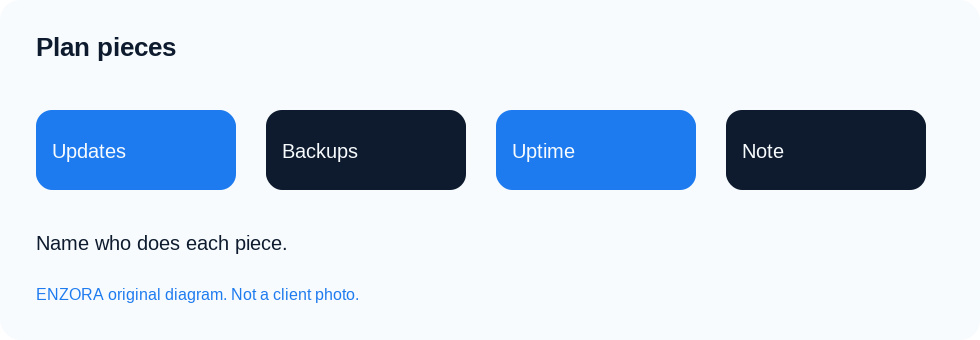
The plan diagram shows those pieces. Amounts stay on the pricing page.
This week, open the pricing page and match it to the five questions above. If your current help does not cover backups or the form, say so in writing and decide what to add.
| Piece | A real plan | A thin plan |
|---|---|---|
| Updates | Someone owns them | Nobody knows |
| Backups | A date you can name | A rumor |
| Uptime | A person can act | Only a customer notices |
| Edits | A path for small changes | Every change is a fight |
| Report | Three plain sentences | No note at all |
| Price | Read on the pricing page | A remembered quote |
Next step
Want the plan you have compared to that list? Get a free site review. Tell us who you call when the site breaks. We will look at backups, the form, and the gaps. We will not quote a price in the article. The pricing page has the current scope.
Questions
Is hosting the same as maintenance?
No. Hosting is where the site lives. Maintenance is the work of updates, backups, small edits, and watching the form. A host can sell some of that. Read what is included. If backups are your job, write that down. Do not assume the host does it.
How often should updates happen?
Often enough that a known fix does not sit for months, and not so carelessly that nobody has a backup first. A monthly pass is a simple rhythm for a small company site. Urgent fixes should not wait for that day. The plan should say who decides.
What counts as a small edit?
A phone number, a season banner, a new photo, or a sentence on a service page. A new site, a new brand, or a pile of new pages is a project, not a monthly edit. Write the line in the plan so both sides agree before the busy month.
Do I need a report?
You need a short note you can read. What was updated, whether the backup exists, and whether the form was tested. A long chart you never open is not a report. Ask for plain sentences. You should be able to forward the note to a partner.
Where are the prices?
On the pricing page, which can change. This article does not repeat amounts. Compare plans by what they include: updates, backups, edits, and who you call when the form dies. A low price that excludes backups is not a complete plan.
Was this helpful?
Related ENZORA services
Want help with your website?
Get a fixed quote from the ENZORA team. We work with businesses worldwide.