Android and iOS app development for growing businesses
Mobile app development for small business teams fits when customers or staff repeat the same job on a phone. Think booking a visit, reordering, checking a job, or signing for a delivery. ENZORA designs and builds one installable app for Android and iPhone. We write the scope first. The code and the accounts are yours.
Who it is for
An installable phone app for a job your team or customers repeat.
- A cafe that wants direct reorders
- A studio that books from the phone
- A field crew that works from the van
What you get
- A written screen list and roles
- A clickable path before the build
- One app for Android and iPhone
- A staging link on your own phone
- An admin place to fix a record
- The repository in your account
How it works
- 1
We watch the job people repeat.
- 2
You approve the screen list.
- 3
You try the staging link.
- 4
You install it. A store listing is a later approval.
This build is an installable web app. Store accounts are paid by you to Apple or Google, and we do not open them unless you approve that step later.
Related
Who this is for
This service starts with a repeated phone job, not with a store badge. Three situations fit.
A cafe or restaurant wants guests to reorder without a third party menu they do not control. A clinic, salon, or studio wants clients to book and see upcoming visits. A home service or delivery crew wants the day's jobs, photos, and signatures on the phone in the van.
You are not a fit if you only need pictures of screens. That work is mobile app UI design. We hand those screens to a builder. This page is the build. If you only need a public brochure, use web design. A brochure is not an app.
A fourth case is the owner who already has a website and wants the same offer on a phone without starting over. We can share the accounts and the menu with the site. We will not rebuild the brand for the sake of an app icon. If the website already books the job in two taps, we may tell you to keep the site and skip the app.
What mobile app development for small business includes
Customer apps
Customer apps cover booking, repeat orders, a simple account, and status the guest can read. Loyalty can be a stamp count you define. We do not invent a points economy you cannot explain at the counter. Push style notices stay inside the app until you approve a later store step.
Staff and field apps
Staff apps cover the job list, check in, photos, and a signature. Offline mode is included when the van loses signal. The phone keeps the job and sends it when the signal returns. We write those rules in the scope, because they change how data is stored.
Companion apps
A companion app is the phone view of a dashboard your office already needs. The office works on the web. The tech works on the phone. Both see the same job. The web side is custom web apps. The server side is backend and API work.
Installable web apps
The build we can ship now is an installable web app. Android and iPhone can open it from a link and keep it on the home screen. It is one codebase. We do not open Apple or Google developer accounts on this site. Those accounts are paid by you, and a store listing is a later step you approve on its own. There is no store code in this version.
Updates after install
You get a staging link on your own phone before anything is called done. Updates ship to that same app. A store update, if you approve one later, is a separate written scope. We do not promise a review outcome from Apple or Google.
The screen list is the contract for version one. A map of every future idea is fine as a parking lot. It is not a promise to build it in the first milestone. Each milestone has a phone build you can tap. If a screen is not in the list, it waits.
Photos and signatures need a rule for size and for who can see them. We write that rule before the first upload. A field photo of a customer's home is private. It does not belong on a public page. The admin can open it. A stranger cannot.
How a project runs
The path is the same shape every time.
Discovery call. We watch the job you do today.
Written scope and screen list. You see roles, fields, and what version one will not include.
Clickable design. You tap through every screen before we code the hard parts. UI and UX design joins when the path branches.
Build in milestones. You get a staging link on a real phone. You enter sample records you recognize.
Testing on those phones. We fix what fails the real task. We do not add a tour of empty screens.
Launch and handover. You install from the link. A care plan is optional and written down. Store submission is not part of launch unless you have already approved that paid step.
Read how a project runs for the studio rhythm around that list.
What you own
You own the repository in an account you can open. You own the hosting or cloud account the app uses. You can export the records. You get a short admin guide and the logins for the admin panel.
If a store listing is approved later, those developer accounts are opened in your name, not ours. You can change builders without losing the code. We do not keep a private copy as the only source.
Tech we use and why
The default is one codebase that installs on Android and iPhone as a web app. React Native with Expo is an option when you later want store binaries and you approve that step. Flutter is an option when your own team already uses it. Kotlin or Swift is only for a device feature the web app cannot do, and only inside a written scope.
The database and logins live with the backend. Notices in the app are messages your admin sends. A phone push service from Apple or Google can be added later in your own project. We do not turn on a paid push account from this website.
Crash notes and product analytics wait for your consent. We do not drop a tracker in because a template had one.
Costs that depend on your project
There is no public rate card for an app. The quote follows the free project plan. What changes the scope is the number of screens, the number of roles, the other tools we must connect, offline needs, and any hardware such as a scanner or a printer.
A store listing is not in the first quote. It needs developer accounts that you pay those companies for, and a separate approval. We quote that only after you ask for it.
You get the written scope and the milestones before work starts. A change after that is a new written quote. It is not a surprise line on an invoice.
Hardware is the other swing factor. A scanner, a card reader the client buys, or a printer in the kitchen can add a screen and a failure case. We name the device in the scope. We do not assume every phone has the same camera or the same free disk space. A test on your actual phone is part of the milestone, not a favor at the end.
See a working demo
Interactive demos are sample apps with made up data. They are not client projects. The ones that match this service are a restaurant ordering demo, a field technician demo, and a clinic booking demo. They are not on the public site yet. Until those pages exist, use the portfolio for the public work, and ask us to walk the sample flow on a call.
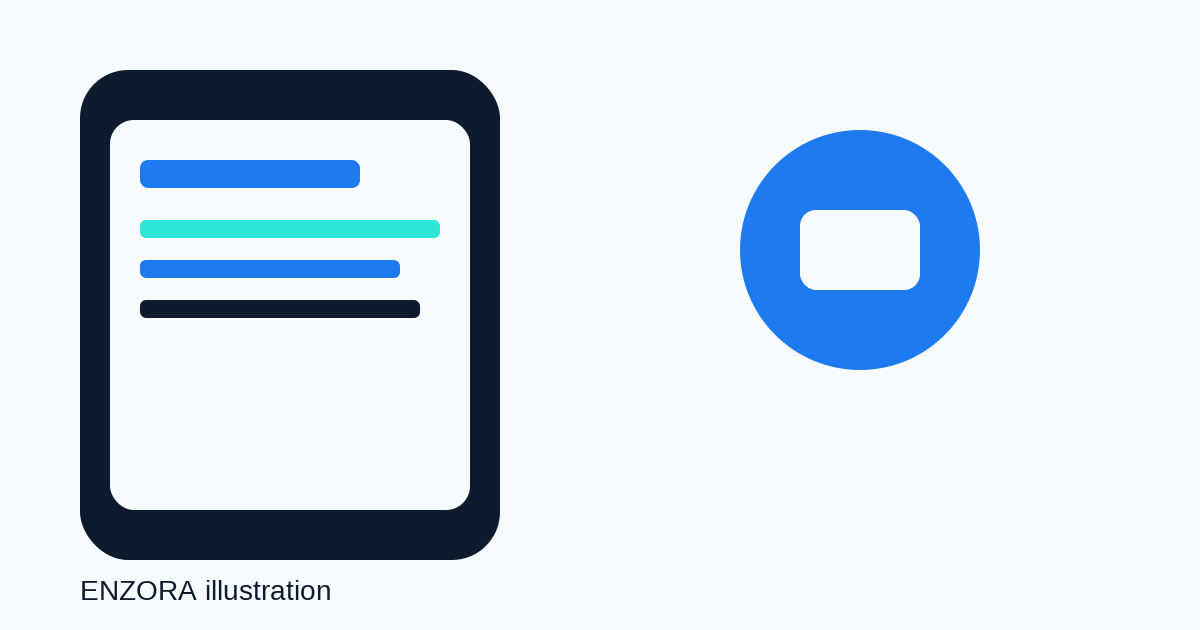
The illustration of a phone and a home screen icon is our own drawing. It is not a photo of a client team. We drew it for this page. It does not show a real crew or a real customer. The shapes are a phone, a home screen mark, and a simple list. Nothing else is hidden in the file.
Related services
Need only the screens, with no code? See mobile app UI design.
Need the office dashboard that sits behind the phone? See web apps.
Need the server, the database, and the connections? See backend, APIs, and integrations.
Need the flow drawn before the build? See UI and UX design.
Get a free project plan. Tell us the job people repeat on the phone. We will say if an installable web app is enough.
What Mobile App Development includes
- Written scope with the screen list and the user roles
- Clickable design for every screen
- Installable app for Android phones, from one codebase
- The same installable app for iPhone, added from the home screen
- Admin panel, or a connection to your dashboard
- In app notices for new jobs and status changes
- Home screen install steps, and listing notes saved for a later store review
- Source code in your repository, plus a handover guide
How Mobile App Development is delivered
- Free project plan call
- Written scope and screen list
- Clickable design you approve
- Build in milestones with a test link on your phone
- You install the app from that link. Store submission waits for a separate approval
- Launch, handover, and an optional care plan
Who Mobile App Development is for
- Restaurants and cafes that want direct orders
- Clinics, salons, and studios that take bookings
- Home service and field teams that work from vans
- Small logistics and delivery companies
Mobile App Development questions
Do I need both Android and iOS?
Usually your customers use both, so the app should run on both. We build one installable web app that opens on Android phones and iPhones. You add it to the home screen from a link. That skips store review. A staff only tool can stay on that path. A public store listing is a later step, because the developer accounts are paid by you to Apple and Google. We do not open those accounts unless you approve that step in writing.
Whose name is the app published under?
Yours, when a store listing is part of an approved later scope. The version we ship now is installed from your link, on hosting in your name. If you later want Google Play or the App Store, those developer accounts are opened by you. You pay those companies directly. We can guide the steps. You keep the accounts if you change developers. We do not publish the app under an ENZORA store account.
Can the app work without internet?
Yes, when the job needs it. Field and delivery apps can save jobs, photos, and signatures on the phone and send them when the signal returns. We plan those rules in the scope. Offline work changes how data is stored and how conflicts are checked. A simple booking app for a shop with steady wifi may not need it. We will say which one fits instead of adding offline to every screen.
Do you also build the admin side?
Yes. Most apps need a place to manage users, orders, or jobs. We build a web dashboard, or we connect the app to a tool you already use, such as your booking system or CRM. The admin is in the same scope when the phone app cannot work without it. A phone app with no way to fix a wrong record is not finished. You will see that path in the screen list before we build.
How is the quote set?
We quote after the free project plan. The scope follows the screen list, the user roles, the other tools we connect, and whether the phone must work offline. You get that scope and the milestones in writing before work starts. A later change is quoted in writing first. A store listing is not hiding inside the first quote. It is a separate approval because the store accounts are a paid step you own.
Will Apple and Google approve it?
The current build does not go through store review. People install it from your link. If you later approve a store listing, approval is their decision. Nobody honest can promise it. We would follow their published guidelines, prepare the privacy notes, and fix review comments. Most rejections are missing information. We would check that before a submit. That work is not included until you approve it.
Can I see an example?
Yes, as a sample, not as a client project. We are publishing interactive demos you can open on a phone, including a restaurant ordering demo and a field technician demo. They use made up data. They are not on this site yet. Until those pages are public, we can walk the flow on a call. The portfolio page shows the public design work we can share today. We will not relabel a demo as a customer win.
What happens after launch?
You can run the app with the handover guide, or you can choose a care plan for updates and small fixes. Phones change their browsers and home screen rules over time, so some upkeep is normal. The care plan is optional and written down. It is not a silent retainer. Store updates, if you add a store later, are their own line in that plan. You can also hand the repository to another developer.
Our five step process
Every ENZORA service follows the same visible rhythm so you always know what happens next.
- 01Discover
We learn your goals, audience, offers and constraints. You share examples, content notes and access we need.
- 02Plan
We map pages, user paths and integrations. You approve structure before visual design begins.
- 03Design
We shape layout, type and motion to match your brand. You review in staging friendly links.
- 04Build
We implement, connect forms, analytics and SEO basics, then run QA on real phones.
- 05Launch
We deploy, hand off credentials and support you through the included support window on your package.
From the blog
- Website Ownership Checklist: Domains, Hosting, and Analytics AccessA plain checklist so you truly own your website: domain registration, hosting accounts, design files, and analytics access before you hire anyone.
- Next.js vs WordPress for Business WebsitesCompare modern Next.js marketing sites with WordPress for small and mid size businesses, including editing workflows, speed, and when each stack makes sense.
- Website Content Checklist Before You LaunchPre-launch content checklist for small business websites: core pages, trust signals, forms, SEO basics, and QA, without fake stats or last-minute panic.
Your site, your assets
You own your code and your site
When ENZORA builds for you, you receive the files, accounts and documentation you need to keep control. We do not lock you into mystery hosting or hidden licenses. If you part ways later, you can move the project with a clear handoff.
- Repository or export access for custom builds, plus admin access for Shopify, WordPress or your host when we set them up for you
- Analytics, form and domain accounts registered in your name whenever the platform allows
- Launch notes that explain what runs where so your next developer is not guessing
Questions before you sign? Read our process or contact ENZORA.
Talk to the team directly.
Related services
Explore nearby offers or see markets we serve.
Also see the home page, about ENZORA, guides, and contact.