Logistics, cargo dispatch and transport software built around your process
Logistics and dispatch software is for teams that still run loads from chats, calls, and spreadsheets. You get load posting, driver booking, dispatch approval, trip status, and proof of delivery in one system. ENZORA builds the software around the process you already use. We do not replace a certified ELD provider. Hours of service stay with the provider you already pay.
Who this is for
This page is about dispatch software development for your own desk. It is for teams that move freight or parcels and need one place to run the day. We build software for your own operations, not a public freight exchange.
A regional trucking or haulage firm wants a load board, booking requests, and a trip timeline. They are tired of lost texts and missing rate sheets. A courier or last mile team wants proof of delivery with a photo, a signature, and a time. They need that proof on the load, not in a private phone album. A small broker or 3PL wants approval rules and documents that match each load. A moving and packing firm may need the same flow with extra stops and access notes.
You are not a fit if you only need a simple job list with no freight documents. That work may be a web app or CRM setup. If you only need a public marketing site, see web design.
We also will not claim that this software makes you compliant with hours of service rules. In the United States those rules need a certified ELD provider. We can show hours from that provider in the same screen. We do not replace the certified device. We make no claims about freight compliance. Your ELD and hours of service stay with the provider you already pay.
What we build
Load intake and the board
Loads can be entered by hand, by CSV, by email, or by an API when you have one. The board lists loads with filters and a clear status. Drivers can request a load. Dispatchers see those requests in one queue. We keep the names your team already uses for statuses, so training stays short. We do not force a generic pipeline that hides how you work.
Dispatch approval and trip status
Approval can use simple rules such as vehicle type, capacity, or licence class. When a load is booked, a rate confirmation can be created. Trip status follows the load from pickup to delivery. Customers can get updates through your own email or SMS accounts. We do not send those messages from a hidden mailbox we control. You choose which events trigger a notice.
Proof of delivery and documents
The driver app can capture a photo, a signature, a time, and a place. That proof is stored on the load. It can sit on the phone first when signal is weak, then upload later with the original time and place. Bills of lading, rate confirmations, and POD files can be generated from the same data, with your logo and terms. A person should review a template before it is used on a real load.
Reports and accounting hand off
Reports can show on time performance, lane volume, and driver workload from real events, not from guesses. We do not invent a score when the data is missing. Delivered loads can create a draft invoice in a tool such as QuickBooks or Xero when you have an account. We confirm the fields in the scope. A person should still check a draft before it is sent.
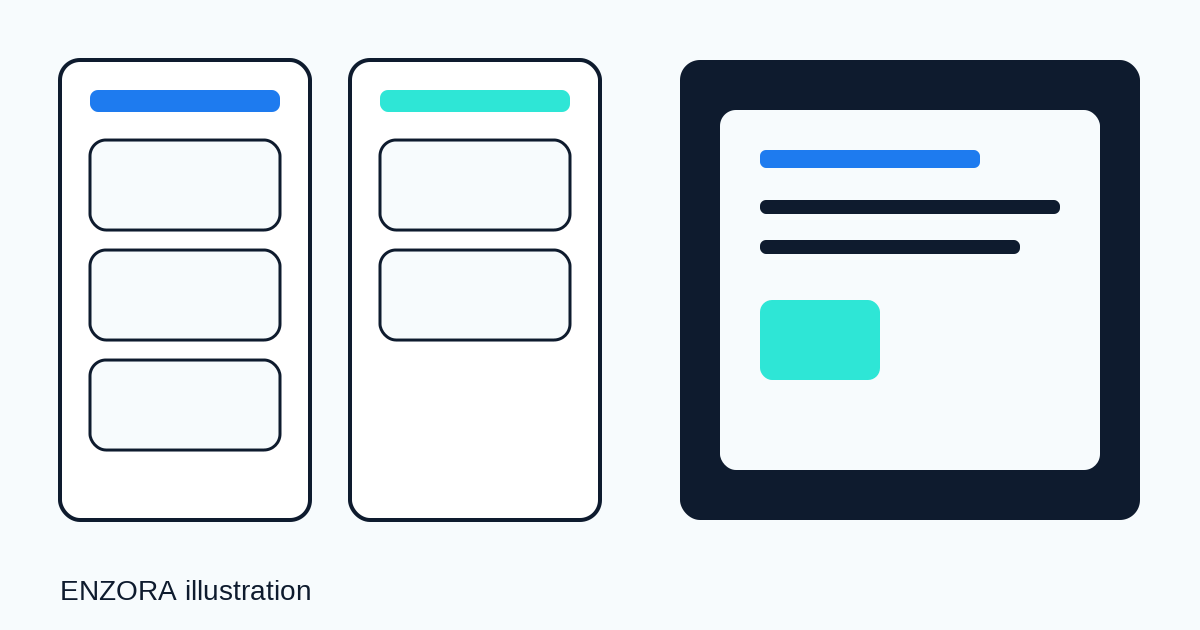
The illustration of a dispatch board is our own drawing. It is not a screenshot of another company. It does not show a real load or a real driver. We drew a simple board, status columns, and a document block. Nothing else is hidden in the file.
How a project runs
We start with a free project plan. This is the discovery call. Then we shadow one day of dispatch, often remote, and write the scope in your words. The scope includes a screen list and the names your team already uses. Nothing is built until you approve that written scope.
Dispatchers then try a clickable prototype. They can say if a column is wrong before we write a lot of code. Build work happens in milestones on a staging link you can open. We pilot with a few drivers and a few lanes. We test the driver app on real routes, including weak signal. After that we roll out, train the team, and launch. Then we hand over the code, the admin guide, and the logins. A care plan is optional after launch.
What you own
The code repo is in your account. The driver app accounts, cloud accounts, and storage are in your name. Email and SMS stay on your accounts. ELD and accounting tools stay on your accounts. You get a data export, documentation, and admin logins. We do not keep a private copy of your freight data after handover. If you later publish a driver app in a store, those store accounts are also in your name. We do not open those paid accounts for you on this site.
Tech we use and why
The dispatcher desk is a web app, often in Next.js or React. The driver app can be React Native or a PWA, with an offline queue for poor signal. A Node or Laravel API and PostgreSQL store the loads. Documents can sit in S3 compatible storage in your account.
Maps and distance use a routing API with your key. We can connect to ELD, telematics, and accounting APIs when you have those accounts. We only use documented APIs. The phone build is mobile app development. The API layer is backend, APIs, and integrations. We pick tools you can keep running after we leave.
Costs that depend on your project
We quote after the free project plan. Scope depends on the number of screens, roles, and integrations. It also depends on the driver app, offline needs, and document types. It depends on how many ways a load can enter the system. You get a written scope with milestones before work begins. There are no prices on this page. See pricing only for our public website packages. A later store listing, if you want one, is a step you approve on its own.
See a working demo
The cargo dispatch demo shows load posting, driver booking, approval, trip status, and POD documents with sample data. It is a demo we built in house, not a client project. It does not move real freight. You can also try the field technician demo, and the vehicle tracking sample stays on the demo hub. Get a free project plan when you want a scope for your own desk. You can also see the demo hub first.
Related services
Live maps and geofences are GPS fleet tracking software. The driver phone app is mobile app development. Shared APIs are backend, APIs, and integrations. Office only tools are web apps. For account ownership, see the website ownership checklist. The steps also appear on how a project runs.
A note on compliance is worth repeating. We build software for your own operations. We do not certify hours of service. We do not replace a certified ELD provider. In the United States, hours of service rules are handled through those providers. We can integrate with the provider you already pay. Dispatchers can then see hours in the same screen. The certified device and the provider account stay yours.
Dispatch work has many small exceptions. A load may need a lift gate. A site may have a tight window. A driver may be waiting on a lumpers fee or a gate code. The software should capture those notes on the load, not in a side chat. That is one reason we shadow a real day before we write the scope. We want the odd cases on the screen, not left as a surprise.
Proof of delivery should be hard to lose and easy to find. A photo, a signature, a time, and a place belong on the load record. If the phone is offline, the record stays on the phone until it can upload. Dispatchers should see that a proof is still queued. We do not pretend an upload finished when it did not.
Handover includes the code, the admin guide, and the logins. Your team should be able to post a load, approve a booking, and find a POD without us. Training uses your real status names. A care plan is optional. It can cover fixes when an accounting or ELD API changes. Email and SMS remain on your accounts either way.
What Logistics and Dispatch Software includes
- Process map from order to invoice
- Dispatcher dashboard
- Load board and booking flow
- Driver app with offline proof of delivery
- Customer status updates (email and SMS via your accounts)
- Document generation (BOL, POD)
- Reports and exports
- Source code, admin guide and handover
How Logistics and Dispatch Software is delivered
- Free project plan
- Shadow one day of dispatch (remote) and write the scope
- Clickable prototype with your dispatchers
- Build in milestones on staging
- Pilot with a few drivers and lanes
- Full roll-out, training and handover
Who Logistics and Dispatch Software is for
- Regional trucking and haulage companies
- Courier and last-mile delivery firms
- Freight brokers and small 3PLs
- Moving and packing companies
Why clients choose ENZORA
- Free website audit before you pay anything
- Clear package prices, timelines and revision rounds listed up front
- A written plan before any work starts
Your site, your assets
You own your code and your site
When ENZORA builds for you, you receive the files, accounts and documentation you need to keep control. We do not lock you into mystery hosting or hidden licenses. If you part ways later, you can move the project with a clear handoff.
- Repository or export access for custom builds, plus admin access for Shopify, WordPress or your host when we set them up for you
- Analytics, form and domain accounts registered in your name whenever the platform allows
- Launch notes that explain what runs where so your next developer is not guessing
Questions before you sign? Read our process or contact ENZORA.
- 20 free tools you can use today
Logistics and Dispatch Software questions
Can you replace the spreadsheets and group chats we use for dispatch?
Yes, that is the usual starting point. We map how a load moves today, from the first call to the final document. Then we put each step on one screen, with the same names your team already uses, so training stays short. We do not force you to change your words just to fit a generic template.
Does the driver app work with bad signal?
Yes. Proof of delivery photos, signatures, and status changes are saved on the phone first. They upload when signal returns, and they keep the original time and place. Dispatchers can see that an action is still queued. This is part of the scope when your lanes have weak coverage.
Do you handle ELD and hours of service?
No. Hours of service and ELD rules must come from a certified ELD provider. We do not replace that device or that certification. We can connect to your ELD provider's data so dispatchers see hours in the same screen. You keep that provider account in your name.
Can customers get updates?
Yes. Customers can get status emails or texts and a tracking link. Those messages are sent through your own email and SMS accounts, not through a hidden mailbox we control. You choose which events trigger a notice, such as booked, in transit, or delivered.
Can it create our documents?
Yes. Bills of lading, rate confirmations, and POD PDFs can be generated from the load data. We can place your logo and your terms on those files. The files stay in your storage account. You should have a person review a template before it is used on a real load.
Will it connect to our accounting?
Usually. Tools such as QuickBooks and Xero have APIs, so a delivered load can create a draft invoice. We confirm in the scope which fields move across, and which ones a person should still check. We do not change your books without that written list.
How is it priced?
After the free project plan, the quote comes from the number of screens, roles, integrations, and the driver app. You get a written scope with milestones before work begins. This page does not list a price, because two fleets rarely need the same set of screens.
Is there a demo?
Yes. The [cargo dispatch demo](/portfolio/demos/cargo-dispatch) shows load posting, driver booking, approval, trip status, and POD documents. It uses sample data in your browser. It is a demo we built in house, not a client project, and it does not move real freight.
Our five step process
Every ENZORA service follows the same visible rhythm so you always know what happens next.
- 01Discover
We learn your goals, audience, offers and constraints. You share examples, content notes and access we need.
- 02Plan
We map pages, user paths and integrations. You approve structure before visual design begins.
- 03Design
We shape layout, type and motion to match your brand. You review in staging friendly links.
- 04Build
We implement, connect forms, analytics and SEO basics, then run QA on real phones.
- 05Launch
We deploy, hand off credentials and support you through the included support window on your package.
From the blog
- Website Ownership Checklist: Domains, Hosting, and Analytics AccessA plain checklist so you truly own your website: domain registration, hosting accounts, design files, and analytics access before you hire anyone.
- Next.js vs WordPress for Business WebsitesCompare modern Next.js marketing sites with WordPress for small and mid size businesses, including editing workflows, speed, and when each stack makes sense.
- Next.js App Router SEO checklist for business sitesA field checklist for indexing on enzoraofficial.com deployments: canonical URLs, dynamic sitemaps, robots rules, structured data, and Search Console readiness.
Your site, your assets
You own your code and your site
When ENZORA builds for you, you receive the files, accounts and documentation you need to keep control. We do not lock you into mystery hosting or hidden licenses. If you part ways later, you can move the project with a clear handoff.
- Repository or export access for custom builds, plus admin access for Shopify, WordPress or your host when we set them up for you
- Analytics, form and domain accounts registered in your name whenever the platform allows
- Launch notes that explain what runs where so your next developer is not guessing
Questions before you sign? Read our process or contact ENZORA.
Talk to the team directly.
Related services
Explore nearby offers or see markets we serve.
Also see the home page, about ENZORA, guides, and contact.