Custom GPS fleet tracking and telematics software
Custom GPS fleet tracking software is for teams that need a live map of their own vans or trucks. You get trip history, geofence alerts, and reports on a system you own. ENZORA builds the software. You buy the GPS devices and the data SIM plan from the makers you choose. We help you pick devices that send open data, or we connect to a provider you already pay.
Who this is for
Custom GPS fleet tracking software fits teams that want a live map of their own vehicles, on a system they control.
A delivery or courier firm wants a live map, trip history, and a share link for the customer. They do not want that data locked in a tool they cannot export. A home service company with vans wants to know which crew is close, and when a job ran late. Plumbing, HVAC, and pest control teams often sit in this group. A trucking or haulage firm wants geofence alerts, after hours flags, and reports they can export. A rental, school transport, or security patrol fleet may need the same map with tighter privacy rules.
You are not a fit if you only want a cheap ready made tracker app with no special rules. That can be the right first step. We will say so on the free project plan. If you only need a public website, see web design. If you only need office screens with no live map, see web apps.
We also turn away work that is meant to watch staff in secret. Tracking people must follow local law and a written notice to drivers. We can build consent records and privacy settings. Legal advice is your responsibility. We will not hide a tracker from the people who drive the vehicles.
What we build
Live map and vehicle status
The live map shows each vehicle as the device reports it. Status can be moving, stopped, or offline. Accuracy depends on the device, the sky view, and the update rate. We do not quote a fixed accuracy number. The map uses OpenStreetMap in our demos. In production you may use your own map key. Dispatchers can filter by group, status, or site. A missing update should look like a gap, not a guess.
Trip history and route playback
Trip history stores the path of each vehicle. You can play a route back to see where a van went, and when it stopped. Retention is a setting you choose. Old points can be deleted on a schedule so the database stays fast. You can export a trip when you need a record. We do not invent a route when the device was offline.
Geofences and alerts
Geofences mark a site, a yard, or a job area. The system can alert on enter, exit, speeding, long idle time, or after hours movement. Alerts go to the roles you name. We write the rules in the scope so they match how you work. You can mute a noisy rule. We do not sell a claim that alerts will stop every incident.
Reports, maintenance, and customer links
Reports cover drivers, vehicles, and mileage. You can export CSV or PDF. Maintenance reminders can use mileage or engine hours from the device, when the device sends them. We do not invent hours the device never sent. A customer share link can show one driver on the way and then expire. It does not show the rest of the fleet. It does not show private yards unless you choose that.
Roles, privacy, and an optional driver app
Owners, dispatchers, and drivers see different screens. A driver can be limited to their own trips and hours. Off duty privacy modes can hide personal time where your policy allows it. Consent records can be stored with the account. A driver app is optional. It can support check in and job photos. The phone build is mobile app development. The live map and history still sit on your server.
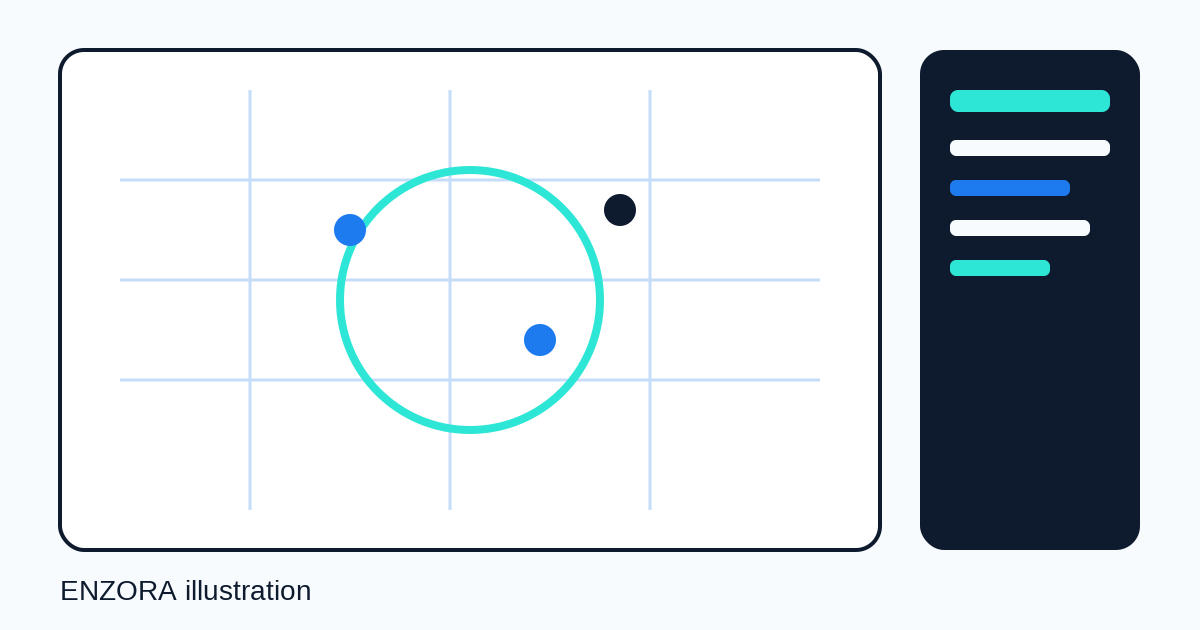
The illustration of a fleet map is our own drawing. It is not a photo of a client fleet. It does not show a real driver or a real plate. We drew a simple map, a few vehicle marks, and a geofence. Nothing else is hidden in the file.
How a project runs
We start with a free project plan. This is the discovery call. You tell us how many vehicles you run, what devices you have, and what reports you need. We write a device check and a screen list. Nothing is built until you approve that written scope.
A clickable design comes next so dispatchers can try the map and the alert list. They can tell us if a label is wrong before we write a lot of code. Then we build in milestones on a staging link you can open. We start with a pilot of two to five vehicles.
Field testing uses real routes and real devices. We watch update gaps, sky view issues, and alert noise. We fix those issues before a wider roll out. After that we roll the rest of the fleet. Then we hand over the code, the server setup, and the admin logins. A care plan is optional after launch. It covers fixes and small changes you approve in writing.
What you own
The code repo sits in your account. Cloud or server accounts are in your name. GPS devices and SIM plans are also in your name. ENZORA builds the software. We do not sell hardware or SIMs. You buy those from the makers you choose. We help you pick devices that send data over open protocols. If you already pay a telematics provider, that account stays yours. We only connect to its API when you ask us to.
You get a data export, documentation, and admin logins. You can change a retention rule without waiting on us, once handover is done. We do not keep a private copy of your live location data after handover. If a care plan is in place, we work in your accounts, not in a hidden one.
Tech we use and why
We can run an open source Traccar server. Or we can run a direct listener for common tracker protocols. If you already pay a provider such as Samsara, Geotab, or Motive, we can read their API. Those are examples, not partnerships. You must have your own account. We do not resell those tools.
Location history often sits in PostgreSQL with PostGIS. Live updates can use WebSockets. Maps can be OpenStreetMap with Leaflet. Or they can be Mapbox or Google Maps with your key. We set retention rules so old points do not grow without a plan. The API and data layer may also use our backend, API, and integration work. We pick tools you can keep running after we leave.
Costs that depend on your project
We quote after the free project plan. Scope depends on the number of screens, roles, and vehicles. It also depends on the device plan, how often points are stored, and offline needs. An optional driver app adds phone work and, later, any store review you choose. Hardware and SIM fees are paid to those makers, not to us. We do not list a price on this page. You get a written scope and milestones before work starts.
See a working demo
You can try our vehicle tracking demo from the demo hub. It shows a live map, route playback, geofences, and alerts with sample data. You can also open the fleet maintenance demo and the cargo dispatch demo. These are demos we built in house. They are not client projects. They do not use real GPS devices or real plates. Get a free project plan when you want a scope for your own fleet. You can also see the demo hub first.
Related services
A dispatch board and proof of delivery sit on logistics and dispatch software. A phone client is mobile app development. Shared data and APIs are backend, APIs, and integrations. Office dashboards without a live map are web apps. For a checklist on who should own the accounts, see our website ownership guide. The build steps are also on how a project runs.
A note on devices is worth repeating in plain words. ENZORA builds the software. GPS hardware is bought from device makers. Those devices need a data SIM plan. We help you choose devices that send data over open protocols. Or we connect to a telematics provider API that you already pay for. We do not sell hardware. We do not sell SIMs. If a device cannot send usable data, we will say so in the device check. We will not promise a live map for a unit we have not tested.
Dispatch days are often messy. A van may sit in a basement or a garage where the sky view is poor. A driver may turn the unit off. A SIM may run out of data. The software should show those gaps clearly. It should not fill a blank with a guessed point. That honesty is part of the scope. It is also why we pilot with a few vehicles first.
Reports should be boring in a good way. They should use the same names as the map. A mileage number should come from stored points or from the device. If the source is missing, the report should say so. We will not add a fuel savings claim. We will not add an accuracy claim. Those claims depend on facts we do not control.
Handover is a real day, not a file dump. You get the repo, the server notes, the admin logins, and a short guide for common tasks. Your team should be able to add a vehicle, change a geofence, and export a report without us. If you want a care plan, we set a simple list of what it covers. If you do not, you still own the system.
What GPS Fleet Tracking Software includes
- Device and data plan (what each vehicle sends and how often)
- Live fleet map
- Trip history and route playback
- Geofences and alert rules
- Reports and exports
- Roles for owners, dispatchers and drivers
- Data retention and privacy settings
- Source code, server setup and handover
How GPS Fleet Tracking Software is delivered
- Free project plan
- Device check and written scope
- Pilot with 2 to 5 vehicles on staging
- Build remaining screens in milestones
- Field testing on real routes
- Roll-out to the fleet and handover
Who GPS Fleet Tracking Software is for
- Delivery and courier companies
- Home-service businesses with vans (plumbing, HVAC, pest control)
- Trucking and haulage firms
- Rental, school transport or security patrol fleets
Why clients choose ENZORA
- Free website audit before you pay anything
- Clear package prices, timelines and revision rounds listed up front
- A written plan before any work starts
Your site, your assets
You own your code and your site
When ENZORA builds for you, you receive the files, accounts and documentation you need to keep control. We do not lock you into mystery hosting or hidden licenses. If you part ways later, you can move the project with a clear handoff.
- Repository or export access for custom builds, plus admin access for Shopify, WordPress or your host when we set them up for you
- Analytics, form and domain accounts registered in your name whenever the platform allows
- Launch notes that explain what runs where so your next developer is not guessing
Questions before you sign? Read our process or contact ENZORA.
- 20 free tools you can use today
GPS Fleet Tracking Software questions
Why custom fleet tracking instead of an off-the-shelf app?
Off-the-shelf apps are fine for many fleets, and we will say so if one fits. Custom software makes sense when you need your own rules, reports, or customer links. It also fits when you want a link to dispatch and billing, or when per vehicle fees add up. We compare both options on the free project plan.
Which GPS devices work?
Most mainstream trackers that send data over documented protocols can work, including many OBD and hard wired units. We check your current devices first so you do not buy new hardware without a need. If you already pay a telematics provider that has an API, we can build on that data instead of a new device plan.
How often does the map update?
The update rate depends on the device and the SIM plan you buy. A common range is every 10 to 60 seconds while the vehicle is moving. Faster updates use more data and can cost more at the provider. We set the rate per vehicle type in the written scope, and we do not claim a fixed accuracy figure.
Can drivers see their own data?
Yes. A driver app or a simple portal can show a person their own trips and hours. You choose what drivers can see. We can add off duty privacy modes where your policy allows it. Those rules should be written down and shared with the team before roll out.
Is tracking drivers legal?
Rules differ by state and country. Most places require a clear written notice to drivers before tracking starts. We can build consent records and privacy settings into the software. You should still confirm your policy with your own legal adviser before you roll the system out to the fleet.
How long is location history kept?
You choose the retention period. We can set automatic deletion after that period so the database stays fast and you keep only what you need. We can also add exports for records you must keep for a longer time. Those rules go in the scope so they are not left as a guess.
Can customers track their delivery?
Yes. We can send a share link that shows one driver approaching a drop. The link can expire after the job ends. It does not show the rest of your fleet or private sites. You choose whether the link goes out by email or by a message from your own accounts.
Can I try a demo?
Yes. Open the [demo hub](/portfolio/demos) for the vehicle tracking sample, and try the [fleet maintenance demo](/portfolio/demos/fleet-maintenance-dashboard). You will see a live map, route playback, geofences, and alerts with simulated vehicles. It runs in your browser with sample data. It is a demo we built in house, not a client project, and it does not use real GPS devices.
Our five step process
Every ENZORA service follows the same visible rhythm so you always know what happens next.
- 01Discover
We learn your goals, audience, offers and constraints. You share examples, content notes and access we need.
- 02Plan
We map pages, user paths and integrations. You approve structure before visual design begins.
- 03Design
We shape layout, type and motion to match your brand. You review in staging friendly links.
- 04Build
We implement, connect forms, analytics and SEO basics, then run QA on real phones.
- 05Launch
We deploy, hand off credentials and support you through the included support window on your package.
From the blog
- Website Ownership Checklist: Domains, Hosting, and Analytics AccessA plain checklist so you truly own your website: domain registration, hosting accounts, design files, and analytics access before you hire anyone.
- Next.js vs WordPress for Business WebsitesCompare modern Next.js marketing sites with WordPress for small and mid size businesses, including editing workflows, speed, and when each stack makes sense.
- Website Content Checklist Before You LaunchPre-launch content checklist for small business websites: core pages, trust signals, forms, SEO basics, and QA, without fake stats or last-minute panic.
Your site, your assets
You own your code and your site
When ENZORA builds for you, you receive the files, accounts and documentation you need to keep control. We do not lock you into mystery hosting or hidden licenses. If you part ways later, you can move the project with a clear handoff.
- Repository or export access for custom builds, plus admin access for Shopify, WordPress or your host when we set them up for you
- Analytics, form and domain accounts registered in your name whenever the platform allows
- Launch notes that explain what runs where so your next developer is not guessing
Questions before you sign? Read our process or contact ENZORA.
Talk to the team directly.
Related services
Explore nearby offers or see markets we serve.
Also see the home page, about ENZORA, guides, and contact.