Business
Why Your Emails Land in Spam (SPF, DKIM, DMARC Fixes)
By Fidyan Ahmed, founder · Published · Last updated · 7 min read

On this page
Emails going to spam are often a proof problem. The inbox cannot tell that your domain allowed the message. SPF, DKIM, and DMARC are the three public records that help. Set them with your mail host's instructions. Then send a test to yourself and read the result before you mail a list.
Key takeaways
- SPF, DKIM, and DMARC are DNS records, not a button in the compose window.
- Gmail and Yahoo publish sender rules. Bulk senders have stricter ones.
- Test a real message and look for a pass before you send a campaign.
- Mail people who asked. Do not buy a list. A bad list beats a perfect record.
The three records every domain needs
SPF is a list of servers allowed to send mail for your domain. If a tool you use is missing from the list, its messages look unauthorized. Gmail's sender guidelines say to include every sender. Checked 23 Nov 2026.
DKIM is a signature. The receiver uses a public key in DNS to see that the message was not changed and that the domain signed it. Gmail says a key for personal Gmail accounts must be 1024 bits or longer, and it recommends 2048 bits when your provider supports that. Yahoo's sender page also says to sign with a key of at least 1024 bits. Checked 23 Nov 2026.
DMARC tells receivers what to do if SPF or DKIM does not line up with the From address. dmarc.org describes the idea: receivers and senders share a policy and reports. The policy tag can start at none, then move to quarantine or reject when you trust the setup. None is a learning mode, not a finished lock.
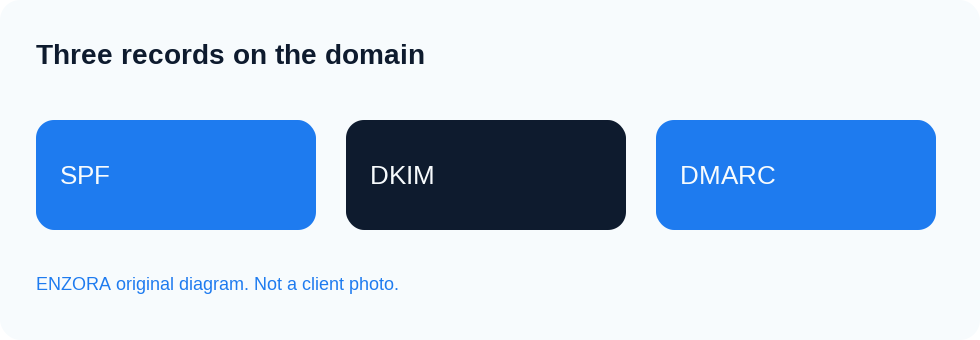
The three record diagram shows SPF, DKIM, and DMARC as three cards on the domain. You need the mail host's exact text. Do not invent a record from a screenshot of another company.
Picture a shop that sends quotes from one app and newsletters from another. SPF lists only the first app. The newsletter fails. The owner blames the copy. The record was incomplete. Add the second sender the way that app documents, or stop using it.
This week, ask whoever holds the domain for the current SPF, DKIM, and DMARC text. Write down every tool that sends as your domain. If a tool is missing, that is the first fix. Try the Email Authentication Checker.
Gmail and Yahoo sender rules
Gmail's rules for personal Gmail accounts started on 1 Feb 2024. Every sender needs SPF or DKIM, valid forward and reverse DNS, and a TLS connection. Keep the spam rate shown in Postmaster Tools below 0.3 percent. Do not pretend to be Gmail in the From line. Checked 23 Nov 2026.
If you send more than 5,000 messages in a day to Gmail, you are a bulk sender. You then need SPF and DKIM, plus DMARC. The policy can be none. Marketing mail needs one click unsubscribe. That 5,000 line is Gmail's, not a number Yahoo printed here.
Yahoo's page, with enforcement it describes from February 2024, says all senders need SPF or DKIM, a spam complaint rate below 0.3 percent, valid forward and reverse DNS, and mail that follows the message format standards. Bulk senders also need both SPF and DKIM, DMARC at least at p=none with alignment, and one click unsubscribe. Yahoo says to honor unsubscribe requests within 2 days. Checked 23 Nov 2026.
| Rule | All senders on Gmail | Bulk on Gmail | Bulk on Yahoo |
|---|---|---|---|
| SPF and DKIM | SPF or DKIM | Both | Both |
| DMARC | Recommended | Required, none is allowed | At least p=none |
| Complaint rate | Below 0.3 percent | Below 0.3 percent | Below 0.3 percent |
| Unsubscribe | Make it easy | One click for marketing | One click, honor within 2 days |
If those help pages change, the pages win. Open them before you edit DNS.
This week, decide if you are anywhere near bulk volume. If you are not, still set all three records. If you are, do not send the next campaign until unsubscribe works. Email marketing should include that check.
Testing your real email
A test is a message you send from the same tool, the same From address, and the same domain you use for customers. A test from a different app proves nothing about the app you will use on Monday.
Send it to a Gmail account you control and to a Yahoo account if you have one. Open the message. Use the mailbox option to view the original message or the full headers. Look for SPF, DKIM, and DMARC. You want a pass, and you want the domain in the pass to match the domain the customer sees in From.
If one check fails, do not send the list. Read which record failed. SPF failures often mean a missing sender. DKIM failures often mean the key in DNS does not match the key the app signs with. DMARC failures often mean the From domain does not match the domain that passed.
Picture a pass on SPF for the web host and a fail on DKIM for the newsletter tool. The newsletter is the mail that customers see. Fix that signature. A pass on a different system will not save it.
The sender guidelines say unauthenticated mail may be rejected with error 5.7.26. If your tool shows a bounce, read the text. Do not keep retrying. Fix the cause.
This week, send one test and save the header result. If you cannot find the SPF line, ask your mail host to point to it. Try the Email Spam Score Checker. A score from a random site is not the Gmail rule. The header pass is. The subject line guide is the words you test after the records pass.
Fixing records at your DNS host
DNS is the phone book for the domain. A wrong edit can break the website or the mail you already receive. Do not delete records you do not understand. Do not replace the whole zone to add one line.
Get the record from the company that sends the mail. Paste it as they wrote it. SPF is usually one TXT record. DKIM is one or more TXT records with a name they give you. DMARC is a TXT record on the host name they specify, often under the _dmarc name. If you already have an SPF record, you usually add the new sender inside it. Two SPF records can fail. Ask before you add a second one.
If email for the domain already works, write down the current records first. You will want them if a new line causes bounces. The person who set up the domain may be the host, a web company, or a past freelancer. Get access before you start.
Picture a shop that adds a marketing tool and, in a rush, deletes the record that receives their quotes. The campaign might send. The inbox for info@ their domain goes quiet. That is the failure this section is trying to prevent. Add. Do not wipe.
This guide cannot click your DNS panel for you, and it should not. ENZORA will not change your domain settings from a blog post. If you want a person to look with you, use email marketing or email automation and bring the login only when you are on a call you trust.
This week, export or screenshot the current TXT records. Then add only the record your mail host documented. Send the test from the last section again.
Warm up and list hygiene
Records get you through the door. The list decides whether people hit "spam." Yahoo says to mail people who asked, and not to buy a list or pre check a box on a form. Gmail says mail to people who want it is less likely to be reported. Checked 23 Nov 2026 on both pages.
A warm up, in plain words, means you start with the people who already know you. Past customers. People who filled your form. Then you watch bounces and complaints. You do not import a spreadsheet of strangers. Those complaints can sink the domain the records just fixed.
Remove hard bounces. Honor unsubscribes. Yahoo's bulk rule says within 2 days. Make the link easy to see. A hidden unsubscribe creates the report you do not want.
If you send a lot, use Google Postmaster Tools, which the Gmail guide points to, and watch the complaint rate against the 0.3 percent line. If the rate climbs, stop and clean the list. Do not send more to "push through."
Picture a new domain that writes first to past customers, sees no complaints, and only then adds people who signed up this month. That pace is a choice. The pages do not publish a required daily count. Your complaint rate is the signal.
This week, delete any address you bought or scraped. Confirm the form on the site is an opt in, not a pre checked box. Then send the next note only to people who asked. The ownership checklist is a useful pair if you are not sure who can edit the domain. A live Website Audit checks the public site people reach after they tap, which is a different job from the inbox.
Want us to fix this for you?
Get a free fix plan. Tell us which tool sends the mail. Contact ENZORA.
Questions
Why do my emails go to spam?
Often the domain has no proof it is allowed to send, or the message looks misleading. Gmail's sender guide says unauthenticated mail is more likely to be marked as spam or rejected. A bought list and a high complaint rate do the same kind of harm. Check the three records, then check who you are emailing. Do not blame the subject line until the records pass.
Do I need all three records?
Gmail, from 1 Feb 2024, says every sender to personal Gmail accounts needs SPF or DKIM. Senders of more than 5,000 messages a day to Gmail need SPF, DKIM, and DMARC. Yahoo's bulk rules also call for SPF, DKIM, and a DMARC policy of at least p=none. A small shop should still set all three so a future tool or a bigger list does not break delivery.
What does DMARC p=none mean?
DMARC tells receivers what to do when a message fails the checks. The dmarc.org overview describes none, quarantine, and reject as policy choices. None asks for reports and does not tell receivers to reject mail. It is the careful first setting while you learn who sends for you. Move toward a stricter policy only after the reports look clean.
Can I fix this inside the email app only?
Usually no. SPF, DKIM, and DMARC are DNS records on the domain, plus a signature your sender adds. The company that hosts the domain has to publish the records. Your email tool has to sign the message. If you change DNS without the mail host's values, you can stop mail that already works. Ask them for the exact record before you edit.
How long should I warm up a new domain?
The Gmail and Yahoo pages cited here do not give a day count for a warm up. They do say to mail people who asked, to keep complaints low, and not to buy a list. Start with customers who know you. Watch bounces. Do not jump to a huge unknown list on day one. If you send at bulk volume, follow the bulk rules before you scale.
Was this helpful?
Related ENZORA services
Want help with your website?
Get a fixed quote from the ENZORA team. We work with businesses worldwide.