SEO
Google Maps Rank Grid: See Where You Rank Across Town
By Fidyan Ahmed, founder · Published · Last updated · 7 min read

On this page
A google maps ranking is not one spot for the whole city. It changes as the searcher moves, because distance is part of how local results are chosen. A rank grid is a way to notice that pattern. It is not a license to hammer Google with automated searches.
Key takeaways
- Map results change by street because distance is a real factor.
- A grid is a set of notes at real places, not a Google score.
- Green, amber, and red in this guide are your legend. Label them.
- Fix the profile, the reviews, and the service area before you dream of a bigger map.
Why rankings change street by street
Google's local ranking tips (checked 23 Nov 2026) say local results are mainly based on relevance, distance, and popularity. Distance is how far the business is from the person who searched. A customer on your block and a customer near a rival are not asking the same geographic question, even if they type the same words.
Relevance is whether you match the job. Popularity, which that page also calls prominence, includes reviews and links from other sites. You can work on relevance and prominence. You cannot relocate every customer. A single search from your office will flatter you if the office is the pin. That search is still worth doing. It is not the whole town.
Picture a roofer who checks the map once, from the warehouse, and tells the crew they "rank." A homeowner on the far side of town sees other roofers and not this company. The warehouse search was true and incomplete. The crew needs to know the edge of the area, or they will promise leads the map is not sending. The rank tracking guide covers how to write those samples down without a scrape.
This week, stand at the shop and search the main job on a phone. Then do it once from a neighborhood you care about. If you cannot go, ask one customer. Write the two results in a note. That is already a tiny grid. Try Google Maps Rank Grid, Google Profile Comparison, and GBP Category Finder if you want those checks.
How a rank grid works
A grid picks points, such as the shop, a neighborhood you serve, and a neighborhood you are unsure about. At each point someone searches the same phrase and notes what the map list shows. The pattern teaches you where you are visible. It does not create a single city rank.
Keep the points few. You are learning, not building a surveillance net. Google's spam policies (checked 23 Nov 2026) say automated queries, including scraping results for rank checking, violate the policies and the terms. A grid product that quietly fires a search at every intersection can be that pattern. Prefer a handful of hand checks, and prefer the profile's own insights for how people already find you.
Picture a cleaner who marks the stops they already drive on Thursday. At each stop they search once. They learn the east side shows the profile and the west side does not. That is enough to decide the next profile edit. They do not need a dense field of dots to have the conversation. Local SEO can help read the pattern. It should not sell you a bot that queries Google all day.
This week, choose the phrase and a few places. Search once at each. Stop. Put the notes where the office can see them. If a tool offers a denser grid later, ask how the checks are made before you run it.
Reading green, amber, and red
Colors help only when the legend is stable. In this guide, green means you saw your profile in the map list at that spot. Amber means you had to scroll the local list a long way or you were not sure it was you. Red means you did not see the profile. These colors are a notebook habit. They are not a standard from Google, and another product may paint them differently. Write the legend at the top of the page.
Do not average the colors into a city score. A green shop and a red far side is a shape, not a failure grade. Look for a cluster. If every point is red, including the shop, you may have a profile problem, not a distance problem. If only the far points are red, distance is doing what Google said it does.
Picture a painter who sees red and rewrites the whole website the same day. The profile category was still wrong, which is a relevance problem at every dot, including the green ones they did not have. Check the category and the name before you blame the page. The GBP Checklist walks the profile in plain questions. The compare websites tool is for two home pages, not for two map pins. Use it only when the sites are the question.
This week, color the few points you checked, with the legend written down. If you are red at the shop, fix the profile before you travel for more dots.
Fixes that widen your map coverage
You cannot paint the whole map, and you should not try with fake addresses. You can remove unforced errors. Google's representation guidelines (checked 23 Nov 2026) say to use as few categories as possible, as specific as you can, and not to use categories as keyword bait. They say the name should be the real world name. They say the address or service area should be precise. They also say there should be one profile per business, not a stack of duplicates.
Reviews and photos are part of prominence in the local ranking help. Ask for honest reviews after real jobs. Add photos of work you did. Keep the phone and the hours the same on the site. The Local SEO Score is a readiness quiz you answer yourself. It is not a live map rank. The NAP Checker compares name, address, and phone when you paste them.
Do the fixes in an order.
| Fix | Why it can widen the honest area | Do not |
|---|---|---|
| Right primary category | Relevance for the job people type | Add categories you are not |
| Real reviews | Prominence Google describes | Buy stars |
| Photos of real work | The profile looks like the business | Stock photos of strangers |
| Matching phone and hours | The site and the profile agree | A second number on the page |
| True service area | You show where you will drive | A map of towns you refuse |
This week, change one row. Then wait and check the same few points again next month. Do not change several things and claim a dot moved because of all of them.
Service area businesses
If you go to the customer, read the service area rules before you draw a grid. Google's representation guidelines, checked 23 Nov 2026, say a service area business should have one profile for the central office or location and a designated service area. They say you cannot list a virtual office unless that office is staffed during stated hours. They say the overall service area should not extend farther than about two hours of driving from where the business is based, though some businesses may justify a larger area.
A grid that is red outside that honest area is not a problem to hack. It is the boundary. Hybrid shops that have a real counter and also travel can show the storefront and set an area, if the location is staffed and can receive customers during the posted hours. Do not hide a staffed shop, and do not show a shop you do not have.
Picture a mobile mechanic who sets the area to the whole state because a grid tool had empty dots. The guidelines do not ask for that. The empty dots are distance and competition. Set the area to the towns the truck will reach, match the site, and use Google Business Profile help if the card is a mess. The service area guide is the longer note. The profile setup guide is the build.
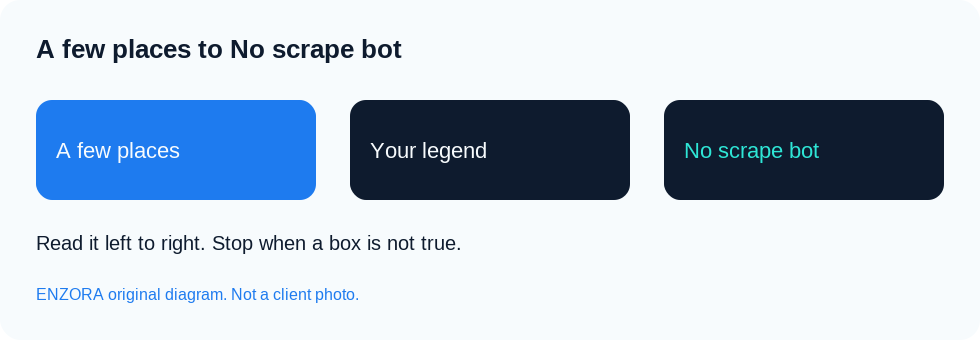
The grid diagram shows a few dots, a legend, and a stop sign on a robot. This week, confirm whether you show a real address or a service area, and whether that choice matches the guidelines. Then color only the towns inside the promise.
Next step
Want a fix plan for the dots you can see? Get a free fix plan. Tell us the phrase and the towns. We will not automate a scrape or invent a citywide rank.
Questions
Why do I rank near the shop and not across town?
Distance is one of the main local factors Google names. A searcher close to you is a different question from a searcher across the city. Relevance and prominence still matter, but you cannot erase distance with a keyword. If the far side is a place you truly serve, tighten the profile and the site. Do not expect the shop corner and the far corner to match.
What is a rank grid?
A rank grid is a set of points on a map. At each point you note whether your profile shows for a phrase. It is a way to see the pattern instead of trusting one search at the front counter. It is not a Google product. A grid that fires automated searches can conflict with Google's rule against scraping results. A few hand checks are the safe version.
What do green, amber, and red mean?
In this guide they are notes you write, not a score from Google. Green means you saw your profile in the map list at that spot. Amber means you saw it only after more scrolling, or you were unsure. Red means you did not see it. Another tool may paint colors differently. Label the legend so next month's dots use the same meaning.
Will a bigger service area paint the map green?
No. Google's guidelines say a service area should be accurate, and they describe a driving limit from where you are based, with room for some businesses to justify more. A huge area you will not serve can break those guidelines. Draw the towns you will drive. Do not color the whole state to chase dots. Read the guideline page before you stretch the map.
How do service area businesses differ?
Google's guidelines say a service area business should have one profile for the central office or location, with a real service area. You should not list a virtual office unless it is staffed during business hours. If you hide the address, the site and the profile should still share the phone and the towns. A grid cannot invent a storefront you do not have.
Was this helpful?
Related ENZORA services
Want help with your website?
Get a fixed quote from the ENZORA team. We work with businesses worldwide.