Performance
Expired Domain? What Happens to Your Business and How to Recover
By Fidyan Ahmed, founder · Published · Last updated · 8 min read

On this page
An expired domain is not a small paperwork miss. An expired domain business can lose the website, the email, and the name customers already know, all in the same week. Renew the name if you still can. If the site is already dark, reconnect it only after the name is yours again. This guide explains the sequence in plain words. It does not invent a number of days. Your registrar's own terms are the clock.
Key takeaways
- The website and the email can fail together when the name lapses.
- Log in to the registrar yourself. Do not pay a surprise caller.
- Restore the old URLs. Do not build a new site on a new name unless you must.
- Turn on auto renew only after the login is in the business name.
Grace periods
Registrars do not all use the same clock. Many offer a grace window after the expiry date, then a harder recovery window, then deletion. The fees and the dates are on that registrar's help page. If this guide printed one number of days, it would be wrong for someone. Open your account and read the date that is actually there.
During the early window you can often renew at the normal rate. Later, the registrar may ask for a recovery fee. After deletion, the name can be registered by anyone. That is the point of no return. Do not wait for a letter in the mail. The notice may have gone to an old email.
Picture a garage door company. The domain was registered by a nephew who left town. The card on file expired. The site still looked fine on the office Wi-Fi because someone had the home page open. A customer on a phone saw an error. By the time the owner called, the registrar showed a recovery fee and a short remaining window. The nephew's login was the only way in. That is a grace period problem and an ownership problem at the same time.
Do this today. Log in to the registrar. Write down the expiry date and the renewal price you see there. If you cannot log in, use the registrar's account recovery before you do anything else. The website ownership checklist lists the other logins that should sit with the business, not with one person.
Ignore calls and emails that say your domain will be deleted unless you pay a new company today. Scammers watch expiry lists. Your real registrar already has your account. Pay them through the login you opened yourself. Never read a card number to a caller.
Email impact
Your website and your email often share the domain. If the name stops resolving, the site and the mailbox can fail together. Invoices, permit notes, and lead form replies all sit in that mailbox. A dark site is obvious. A silent inbox is easier to miss until a customer says they already wrote.
Tell people how else to reach you while you fix it. Your phone number on the truck, a text line, and a backup address on a different domain are the bridges. Do not invent a new public email on a free host and forget to check it. Name one person who reads the backup.
When the name renews, email does not always heal by itself. The mail records must still point at the company that hosts the mailbox. If those records were changed, or if they expired in the confusion, mail can keep failing after the site looks fine. Send a test from a personal account to the business address. Reply from the business address. If either step fails, fix the records before you announce that you are back.
Here is a concrete miss. A cleaner renewed the domain and saw the home page load. The contact form still failed because it mailed a dead address. Leads saw a thank you page. Nobody in the office saw the lead. Test the form, not only the home page. A website audit can show a broken form path once the site loads again.
Do this today. Send one test email in and one test email out. Submit the contact form. Call the number on the site from a second phone. Three passes. If any fail, the recovery is not done.
SEO impact
Search can only show pages it can read. If the site is down, Google may drop pages or show errors until the site returns. There is no public promise about how fast a restored site returns to its old place. Anyone who quotes a sure recovery is guessing. Restore the same addresses people already used. Then ask Google to look again.
Google explains site address changes and downtime in its site move guide, reviewed 23 Nov 2026. The guide is about moving on purpose. An expiry is an unplanned outage, but the lesson matches. Keep the old URLs if you can. If you must change a URL, use a permanent redirect. Google's redirect guide, also reviewed 23 Nov 2026, describes that kind of redirect.
Do not buy a new domain and start over unless the old name is truly gone. A new name throws away the links and the memory customers have. If the old name is gone, say so on the new site in plain words. Do not pretend the new name is the old one. If you later get the old name back, point it at the new site with redirects, one URL at a time. The notes on merging two domains walk that work.
Picture the outage in Search Console, not only in a browser. Look for coverage errors and for pages that used to be indexed. When the site is back, inspect the home page and one service page. Request indexing for those URLs. Then watch. Do not publish a pile of new thin pages to "make up" for the gap. That does not restore trust.
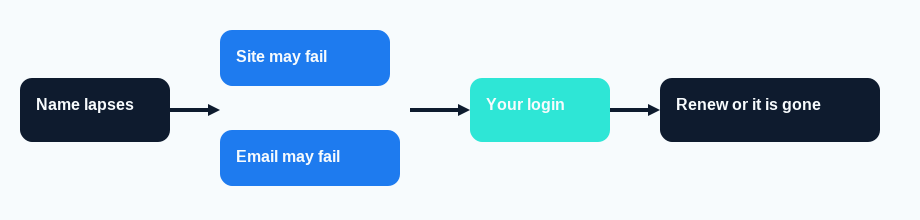
Do this today. Open Search Console if you already have it. If you do not, add the property after the domain is yours again. Write down which pages were indexed before, if you have an old export. The diagram of an expiry shows the path from lapse to either a restore or a lost name.
While the site is down, your Google Business Profile can still show the business. Check that the website button there does not send people to a dead page. If it does, change the button to a phone call until the site returns. A profile that advertises a broken site makes the outage worse.
Recovery steps
Work in order. Panic spending is how owners pay the wrong company.
First, confirm you still have a right to the name. Log in. Look at the status. If it says you can renew, renew. If it says recovery, read the fee on that screen and decide with a clear head. If it says the name is registered to someone else, stop and get advice before you pay that someone.
Second, prove the login is the business login. Change the email on the account to a mailbox the company controls. Turn on whatever extra sign in the registrar offers. Save the backup codes in the office safe, not in one person's phone only.
Third, point the name at the real site again. If the host never changed, this may already be correct. If the name was parked on a registrar ad page, replace those records with the host's records. Load the site from a phone that is not on office Wi-Fi.
Fourth, test email, the form, and the phone links. Fifth, check Search Console and the Business Profile website button. Sixth, tell the crew the site is back only after those tests pass.
| Step | Pass looks like |
|---|---|
| Login | You can open the registrar without another person |
| Renew | The status shows a future expiry you wrote down |
| Records | The site loads on a phone off office Wi-Fi |
| A test in and a test out both arrive | |
| Form | The office receives the test message |
| Search | You requested indexing on the home page |
| Profile | The website button loads or points at a call |
Do this today. Do step one before you call a designer. A new website cannot attach to a name you do not control. If the host files are also gone, that is a website migration problem, and it starts only after the name is safe.
If a buyer already took the name, do not threaten them and do not buy it in a rush from a parking page without reading the price twice. Sometimes the right move is a new name and a calm note to past customers by phone and by mail. That is painful and it is sometimes the honest path.
Auto renew and ownership
Auto renew helps only if the card works and the account is yours. A card that expires first, or an account email nobody checks, will fail quietly. Put two people on the account recovery. Use a company card the bookkeeper watches. Put the expiry on a calendar ninety days ahead so a human still looks, even with auto renew on.
The registrant name should be the business, not a former web person. The address should be one you open. If the registrar asks for a contact email, use one that forwards to more than one human. A domain is a business asset. Treat it like the truck title. You would not leave the title in a vendor's glove box.
Write the renewal price in your own books from the registrar screen. Do not copy a price from a blog. Prices change, and this guide will not freeze one. The ownership checklist is the place to record the account, the expiry, and the backup person.
Do this today. Turn on auto renew after you confirm the card and the contact email. Then send yourself a calendar invite for a month before expiry. Open the invite when it rings and look at the registrar again. That second look is what catches a failed card.
If you also run a second domain for the same company, decide which name is the real one. An expired extra name is less urgent than an expired main name, but a lapsed extra name can be bought by someone else and pointed at a copy of you. Renew it or let it go on purpose. Do not let it go by accident. The service area notes in town pages assume the main name still belongs to you.
Next step
If the name lapsed or you cannot find the login, get a free site review. Tell us the domain and whether you can still open the registrar. We will help you sort ownership from a rebuild. We will not guess a recovery date your registrar did not write down.
Questions
What happens when my business domain expires?
The site can stop loading, and email on that name can stop arriving. What happens next depends on your registrar's own renewal terms. Some give a grace window. Some offer a later recovery window for an extra fee. After that, the name can be deleted and someone else can register it. Read your registrar's page before you assume you still have time.
Can I get the domain back?
Often yes, if you act during the window your registrar still offers. Log in yourself. Do not pay a stranger who calls and says they can save the name. If the name was already registered by someone else, recovery may not be possible. Start the login today and write down the expiry date you see.
Will my Google rankings come back?
There is no promise. If the site was down, Google may have trouble reading it. When you restore the same URLs, ask Google to look again and watch the pages in Search Console. Google's site move guide, reviewed 23 Nov 2026, explains how address changes and downtime affect what it can index. Restore the real pages. Do not invent new ones to fill the gap.
What happens to my email?
Mail sent to you can bounce or vanish while the name does not resolve. Tell customers a backup address that you do control, such as a phone number they already have. After the name renews, check that mail records point at your real mailbox. Send a test from a personal account before you trust it.
How do I stop this next year?
Turn on auto renew with a card that will not expire first. Put the domain in the business name, with a login two people can reach. Add the expiry date to a calendar the office actually opens. The ownership checklist covers the rest of the accounts that should not live in one person's head.
Was this helpful?
Related ENZORA services
Want help with your website?
Get a fixed quote from the ENZORA team. We work with businesses worldwide.