SEO
Internal Linking: The Free SEO Win Most Sites Miss
By Fidyan Ahmed, founder · Published · Last updated · 7 min read

On this page
Internal linking is how your pages point at each other. A guide that names a service should link to that service. A service page should link to contact. Google's crawlable links guide says Google can generally crawl a normal link, and that the words in the link matter.
Key takeaways
- Link related pages with words that name the destination.
- An orphan page is a URL nothing else links to.
- Do not use "click here" when you can name the page.
- Spend one short session fixing links you can click today.
What internal links do
An internal link keeps a person moving. They read about drain smells and tap through to the drain service, then to the phone. The same path helps a crawler discover the service page. Google's guide says to use a normal link element with an address. If the only path is a script with no link, do not assume the page was found.
The visible words are the anchor text. Google's starter guide says that text tells users and Google something about the next page. "Drain cleaning" is anchor text. "Click here" is not. When an image is the link, the alt text plays that role, so the alt text must describe the destination too.
Internal links also show which pages you think are important. The menu is a strong hint because it is on many pages. A single mention in one old post is a weaker path. Put the money pages in the menu. Use the articles for the extra explanation.
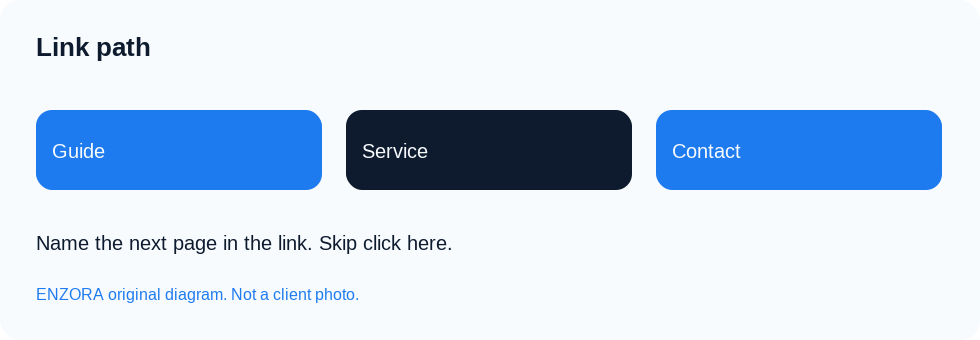
Picture a home page with services in the menu: drains, heaters, and contact. A blog note about a noisy heater links to the heater page with those words. A stranger can follow it. The link diagram is guide, service, contact. That is the shape to copy.
This week, click every item in your menu on a phone. If one goes nowhere, fix that before you write a new article. The Broken Link Checker can list home page links that error. It does not map the whole site.
Orphan pages
An orphan page has no internal link pointing at it. You might still open it by typing the address. A customer will not. A crawler that follows links from the home page will not either, unless something else tells it the URL. A sitemap can list important URLs. Google's sitemap overview is the doc for that file. A sitemap is not a substitute for a link a person can tap.
Find orphans by trying to reach each important page from the home page. If you cannot, it is orphaned for practical purposes. Old campaign pages and thank you pages can stay unlinked on purpose. A service you want calls for should not.
Common orphans on trade sites are a city page you added and forgot, a gallery, and a second contact page. Link the city page from the area section if you really serve that city. Link the gallery from the service it proves. Retire the extra contact page or redirect it.
The Internal Link Analyzer maps links between your pages. Use the Broken Link Checker for failures on the home page. Then do the click test yourself for pages the home page never mentions. SEO Growth can include this pass on a schedule if you do not want to keep the list in your head.
This week, pick one service URL and see if the home page, the menu, or a guide links to it. If none do, add one link from the most related page.
Anchor text that helps
Write the link the way you would say it. "See our water heater repair page" is clear. "Click here for more" is not. Do not use the same anchor for two different pages. If both say "services," the reader does not know which job they will get.
Do not stuff the city into every anchor. One honest mention is enough. A footer that repeats the same sentence over and over is not better linking. It is noise. Link the next useful page once, in words a customer would say out loud, and then stop. A second link to the same URL in the same paragraph does not make the page more important. Vary the words only when the destination is actually different.
Match the promise. If the link says "emergency drain cleaning," the next page must say that and the phone must work. A link that oversells is worse than a plain one. The on page guide shows how the destination page should name the same job.
External links are different. Use them for a source, such as Google's own docs, and keep them few. They are not a substitute for linking your own service page. A guide that only links out and never links to your offer wastes the visit.
This week, search your site for the words "click here" and "learn more" if your editor allows a search. Replace two of them with the name of the real page. Leave the rest for the next session if you run out of time.
Linking blog posts to service pages
A post should not be a dead end. If you explain how to reply to reviews, link the profile service or the local guide that continues the job. If you explain a crawl, link the audit service. The reader who is ready to hire should not have to hunt the menu.
Put the link in the sentence where the idea appears, not only in a pile at the bottom. One clear link beats six repeated ones. You can add a short "related service" line at the end if the body never found a natural spot. Do not add it ten times.
Do not link every post to every service. A roofing story that links to plumbing, painting, and legal advice looks lost. Link the service the story is about, plus contact. The content checklist is a fair pre launch pass for those links.
Old posts go stale. A link to a service you stopped offering should change or come out. A link to a URL that now 404s should be updated. The broken link tool on the home page will not see a link that lives only inside an old post. Open the posts that still get visits and click their links.
This week, open your latest guide and add one link to the matching service page, using the service name as the anchor. Then click it on a phone. If the service page does not mention the guide topic in its first lines, fix that page too, or the link will feel like a bait. A reader who tapped water heater repair should land on water heater repair, not on a general welcome page.
A 20 minute internal link session
This is a short work block, not a study. Set a timer if you want. You can stop when the list is done.
| Minute | Task | Done when |
|---|---|---|
| First | Click the menu and footer on a phone | Every item opens a live page |
| Next | Run the home page through the broken link tool | You have a list of failures, or a clean pass |
| Next | Find one important page with no inbound link | You added one link from a related page |
| Last | Fix two weak anchors | They name the destination |
Do not redesign the site in this session. Do not add a new page. Linking what you already have is the win. If a link fails because the page should be retired, remove the link or redirect the old URL. The small business SEO audit is the wider list if this session uncovers a mess.
Write down what you changed. Next month, do the same twenty minutes on the next guide. A little, repeated, beats a giant spreadsheet you never open. The link diagram can sit beside the timer so you remember the path: guide, service, contact.
This week, run the session once. If you only finish the menu, that is still a real fix. Do not skip the menu to polish an old post.
Next step
Want us to fix this for you? Get a free fix plan. Tell us the service page you wish people found. We will look at the links that should point there. We will not invent a ranking from a link count, and we will not add links that lead to the wrong job.
Questions
What is an internal link?
An internal link is a link from one page on your site to another page on your site. The menu, the footer, and a sentence in a guide can all be internal links. A link to a supplier or to Google's help is external. Google's crawlable links guide says a normal link element is what it can generally follow. A button that only runs a script may not count.
What is an orphan page?
An orphan page is a URL that no other page on your site links to. A person cannot stumble on it, and a crawler that only follows links may not find it. A sitemap can still list it. The fix is a real link from a related page, with words that say what the reader will get. Do not hide that link only to say it exists.
Is click here bad anchor text?
It is weak. Google's starter guide says the visible link text should tell people and Google something about the page you are linking to. The words click here say nothing. The words water heater repair say what the next page is. Do not use the same phrase for every link if the destinations differ. Match the words to the page.
How many internal links does a page need?
There is no quota in the Google guides this article cites. Link when it helps the reader take the next step. A service page should link to the contact page and to closely related services. A guide should link to the service it explains. A page full of links to every town you can spell is not more helpful. Stop when the next click is obvious.
Can a tool find orphan pages today?
A full internal link map is not on the site yet. The Broken Link Checker looks at links on the home page and lists ones that fail. That catches a broken menu, not every orphan. You can still click through the site yourself and write down any important page you cannot reach. The Website Audit is a one page score, not a site map of links.
Was this helpful?
Related ENZORA services
Want help with your website?
Get a fixed quote from the ENZORA team. We work with businesses worldwide.