Web Design
Before and After Photos That Sell Home-Service Jobs
By Fidyan Ahmed, founder · Published · Last updated · 7 min read
On this page
A before and after pair is a proof, not a decoration. Before and after photos website pages work when the two shots show the same corner, the same light as far as you can manage, and a job you actually did. They fail when the photos are stock, huge, or unlabeled. Shoot on the phone you already carry. Then put the pair where a person can see both states without a hunt.
Key takeaways
- Match the angle so the change is obvious.
- Show both states at once when you can.
- Keep files small enough that the phone number still appears fast.
- Ask the customer before you publish their house.
Shooting on a phone
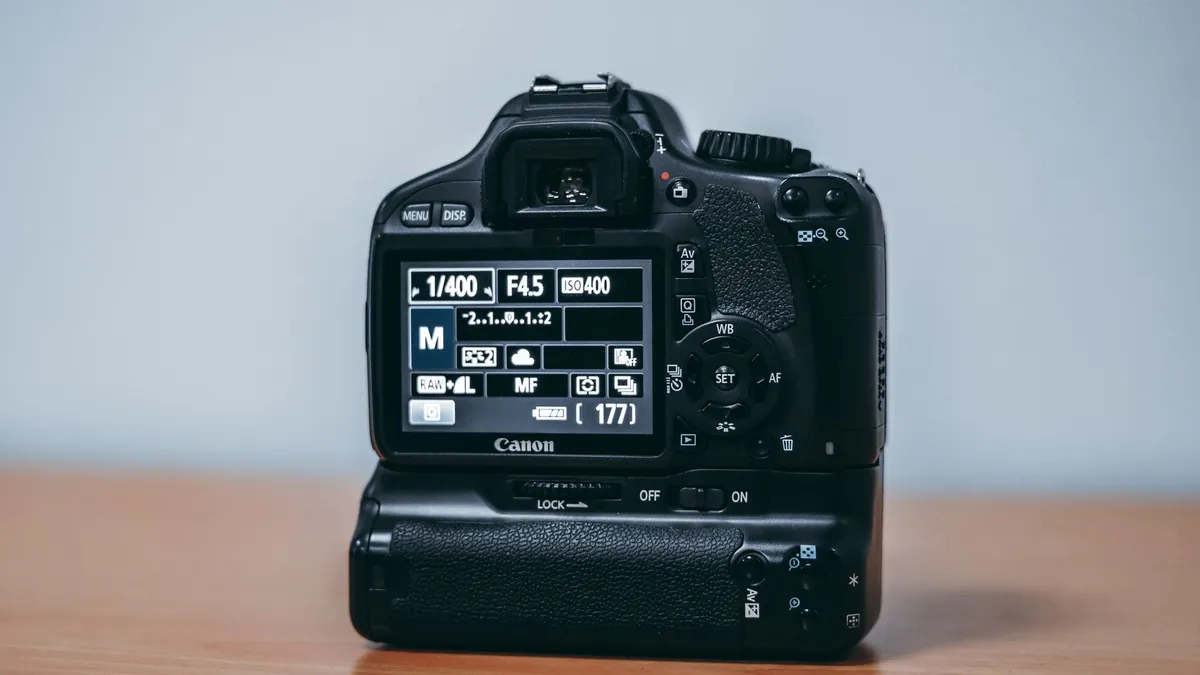
You do not need a studio. You need the same spot twice. Stand in the same place for the before and the after. Use the same height. Turn the flash off both times so one shot is not blue and the other is not. If the sun moved, say so in the caption rather than pretending the light matched.
Clean the lens. A thumb print makes a good wash look dull. Tap the screen to focus on the stain, the peel, or the dent, not on the sky. Leave a little of the house in the frame so the job has context. A mystery close up of a white wall does not sell.
Take the before photo before the crew starts, not from memory at the end of the day. Crews forget. The after photo without a before is just a nice house. The before without an after is a problem you did not finish. The pair is the product.
Picture a pressure washing job on a driveway. The before shows oil spots and the garage edge. The after shows the same edge and the same oil spots gone. The hose is out of the frame. The truck is not blocking the work. That pair can live on a pressure washing page. A photo of a different driveway, even a cleaner one, does not belong in the pair.
Do this today. On the next job, take two photos from one spot before you pack the hose. Label them in the camera roll with the street and the word before or after. Future you will not remember which white wall was which.
Sliders and galleries
A slider looks clever and hides half the proof. The visitor sees one photo. They may not drag. Side by side, or one above the other on a phone, shows the change without a gesture. Prefer that. If the layout only allows a slider, put the word Before or After in text next to it, and make the control large enough for a thumb.
Galleries are for many jobs, not for one pair. A gallery that mixes ten befores and tens afters with no labels makes the visitor guess. Group by job. Each group gets a one line caption: what the job was, and the town if you have permission to name it. Do not caption every photo with the same slogan.
Order matters. Before, then after. People read left to right and top to bottom. If you swap them, the job looks worse. Check the order on a phone, because a desktop row can stack in a different order on a small screen.
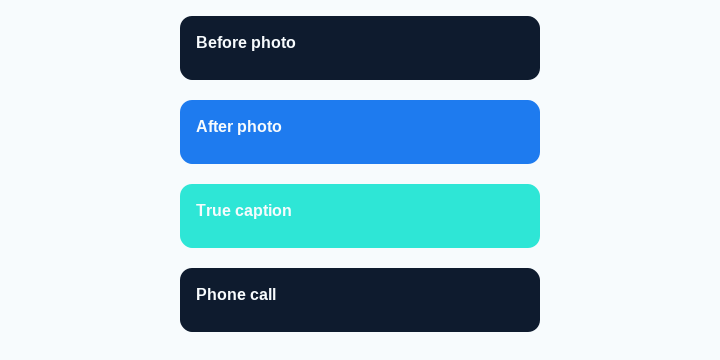
Do this today. Open your gallery on a phone. If you cannot tell which photo is the before, add labels in text. If a slider covers the call button, move the call button. The photo layout diagram shows a simple stack: before, after, caption, call.
Here is a concrete layout. One service page. Three pairs. Each pair is stacked. Under each pair, one sentence about the surface and the town. At the bottom, the phone link. No music. No autoplay. A person can scroll with one thumb and stop on the pair that looks like their house.
File size and page speed
A raw photo from a new phone is far larger than the screen needs. If you upload it as is, the page can sit blank while the number waits. The visitor came to see the job and to call. A slow gallery blocks both.
Resize the photo to the width the page actually shows. Use a modern image format your builder offers. Do not put a huge photo behind the text as a background that loads late and then jumps. Google explains useful images, alt text, and page experience together in its image guide, reviewed 23 Nov 2026. Follow that direction. This guide will not invent a file size target.
Test on a phone using cellular data, not the shop Wi-Fi. If the first pair is slow, you have too much image or too many pairs above the phone number. Move the number up. Shrink the first photo. Leave the rest of the gallery lower.
Do this today. Run a website audit and also open the gallery on cellular. If the number is late, shrink the top image before you add more pairs. A web design pass is the right scope when every page has the same heavy hero.
Watermarks are optional. A small wordmark that does not cover the stain is fine. A giant logo across the job hides the proof. Let the work show.
Alt text that tells the truth
Alt text is the sentence that stands in for the photo. Write it like a caption for someone who cannot see the picture. Name the surface, the problem, and whether the shot is before or after. "Before, dark streaks on white soffit" is useful. "Image1" is not. A keyword stuffed line is not either.
Every photo in the pair needs its own text. The before and the after are different pictures. Copying one alt onto both is how the page lies. Decorative icons can have empty alt text so screen readers skip them. Job photos are not decorative. They are the evidence.
Do not put a phone number only inside the photo. A number in the pixels is invisible to some visitors and cannot be tapped as text. Put the number in real text beside the photos. The alt text can mention the job. The call link does the calling.
Picture a screen reader on the gallery. It reads three befores and three afters, each with a clear sentence, then it reaches Call. That is a usable page. If it reads file names and then silence, the gallery is a wall. The notes on default titles and placeholder text belong here too. A photo labeled Placeholder is not alt text.
Do this today. Pick three live photos. Rewrite the alt text so a person who never sees the image knows the job. If you cannot describe it, the photo is too vague to publish.
Permission and privacy
The customer owns the view of their home. Ask before you post. Show them the photos you mean to use. A yes by text is a record you can find. A vague "you can use pictures" at the start of a noisy job is weaker. Ask again if the photo shows a face, a child, a house number, or a license plate.
If they say no, thank them and keep the photo in the job file only. Do not crop the house number and hope. Do not post it in a Facebook album and also on the site if they only agreed to one place. Say where it will go.
Crews need a simple rule. No posting from personal phones to a public page until the office has a yes. The office stores the yes with the job. That rule stops a proud tech from publishing a house the customer wanted quiet.
Do this today. Add one line to your job finish text. "May we show before and after photos of this job on our website? Reply yes or no." Keep the replies. If you do not have old replies, do not upload the old photos. Shoot new pairs with a clear yes.
| Check | Pass |
|---|---|
| Same spot | The corner and the height match |
| Order | Before, then after, with words |
| Phone | Both states show without a puzzle |
| Size | The number appears on cellular data |
| Alt text | Each photo has its own true sentence |
| Permission | You can find the yes |
| Faces and numbers | Hidden or not in the frame |
Town pages can use a pair only when that pair is from that town. Do not drop a city name on a photo from somewhere else. The service area page guide is the rule for that. A mismatched photo is a doorway with a picture.
Next step
Want a look at the gallery and the call path around it? Get a free site review. Send the page URL. We will check labels, alt text, and whether the number is stuck under a huge photo. We will not invent a lead count.
Questions
Do before and after photos help a service site?
They help when they are yours and the two shots show the same job. A visitor can see the change without a long speech. They do not help when the photos are stock, the angles do not match, or the page takes too long to load. One honest pair beats a gallery of strangers.
Should I use a slider or a side by side pair?
Side by side is easier. Both states are visible without a tap. A slider hides one state until someone drags, and some people never do. If you use a slider, label Before and After in text, not only in the photo. Test it with a thumb on a phone.
How big should the photo files be?
Small enough that the page still shows the phone number quickly, and clear enough that the job is visible. Google's image guide talks about useful photos that do not drag the page down. Do not upload the raw camera file. Resize for the screen. We will not invent a magic file size here.
What should the alt text say?
Say what is in the photo. Before: green algae on the north siding of a one story house. After: the same wall after a wash. Do not stuff keywords. Do not write the file name. Alt text is for people who cannot see the image and for search systems that read the page.
Do I need permission to post a job photo?
Yes. The house belongs to the customer. Ask before you post a face, a house number, or a street that identifies them. A text reply you can find later is enough for many crews. If they say no, do not post it. Permission is not a decoration. It is the right to publish.
Was this helpful?
Related ENZORA services
Want help with your website?
Get a fixed quote from the ENZORA team. We work with businesses worldwide.