For Home-Service Pros
Website Speed for Small Businesses: What Actually Matters
By Fidyan Ahmed, founder · Published · Last updated · 6 min read

On this page
Website speed small business owners notice is not a lab trophy. It is whether the phone number and the offer show up before the customer gives up. Google's Core Web Vitals page, reviewed 23 Nov 2026, says to aim for LCP within 2.5 seconds, INP under 200 milliseconds, and CLS under 0.1. Those words sound technical. The feeling is simple.
Key takeaways
- Watch loading, tap response, and things that jump on the screen.
- Shrink the first image. Do not hide the phone number inside it.
- Remove chat tools and sliders you do not answer or need.
- Rebuild only when the theme itself is the weight.
LCP, INP, and CLS in plain words
LCP is about when the main thing appears. On a contractor site that should be the headline and the number, not a late photo that pushes them down. INP is about how fast the page reacts when someone taps. A stuck menu feels broken. CLS is about layout shift. If a button jumps under the thumb, people tap the wrong thing.
You do not need to memorize the letters to start. Open the page on a phone. Does the number show quickly? Does the menu open when you tap? Does the page jump after a banner loads? If you want the goals in numbers, use the figures above from Google's page, and link them when you explain the report to a partner. A single bad lab score on office Wi-Fi is a clue, not a verdict.
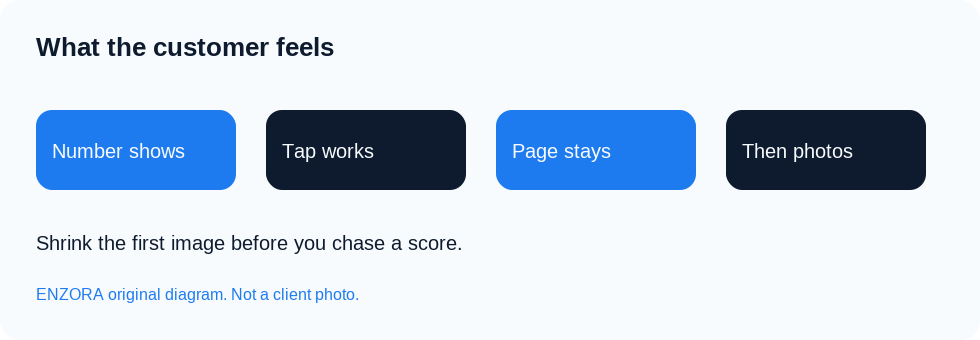
Picture a home page that loads a full-screen video, then a chat bubble, then the number. The customer already called someone else. The speed path diagram puts the number first and the heavy file later.
This week, load your home page on cellular data and count slowly to three. If the number is not there, you have a first-screen problem. The speed checker can read the page in plain language after that test.
Images
Trade sites are full of photos. That is good for trust and bad for weight when the file is huge. Export a size that fits a phone. You can keep a larger file for a gallery tap. Use a modern format your host supports. Write the phone number in real text next to the photo, not painted into the pixels.
Do not use a slideshow that loads many roofs before the headline. One clear photo is enough for the first view. Lazy load the photos below the fold so they wait until someone scrolls. A blurry mess is not the goal. A sharp photo at a sensible size is. If the gallery page is the one ads use, shrink those images too, not only the home page. Name the file with the job, not with a camera default, so you can find the heavy one later.
Google's image guide wants pictures that match the words. A fast photo of the wrong job does not help. Compress the photos you mean to show.
This week, replace the top image with a smaller copy and reload on a phone. If it still looks clear, keep the smaller file. Delete decorative images that do not explain the work.
Hosting and CDN
Hosting is where the files live. A very cheap, crowded plan can make even a small page wait. A content network can store copies closer to the visitor. You do not need to become a network engineer. You need to know who you pay and how to log in.
If the page is slow only for you in one town, test from another phone. If it is slow everywhere, look at the host status and the plan limits. A network cache will not fix a huge hero photo. Fix the file first. Then ask whether the host is the remaining wait. Write down the plan name so the next person does not guess. If the host has a status page, check it once when the site feels stuck for everyone at the same time. Do not change mail settings while you look.
Do not change nameservers or email records as a speed experiment. Mail can break. That work belongs in a careful plan, not a late-night toggle. This article will not tell you to edit DNS.
This week, find the host login and the plan name. If you cannot, that is a risk bigger than speed. Get access before you pay for a new plugin.
Plugins and scripts
Each chat widget, slider, font kit, and tag adds work before the tap. Keep one chat tool if a person answers it. Remove the others. Turn off a slider. Limit fonts to the ones you use. A form tool you need is worth its weight. A stats tool nobody reads is not.
Builders inside a page, with nested rows and animations, are a common slow pattern. If you can say the same thing with a heading, a photo, and a button, do that. Fancy motion that delays the number is a cost, not a brand.
Test after each removal. Remove one thing, reload, and see if the number arrives sooner. A pile of changes at once hides the cause. Speed optimization is the right help when you want that pass done with a list. Keep a note of what you removed so you can put back the one tool you still need. A form script you use every day stays. A second analytics tag you never open can go. Write the name of the tag you removed in the same note.
This week, list every script the home page loads that you can name. Cross out the ones you do not use. Remove one crossed-out tool and retest.
Testing correctly
Test the way customers visit. Use a phone on cellular data, not only the office Wi-Fi. Test the home page and the job page that ads point at. A fast home page and a slow storm page still loses the storm call.
Run the checker more than once. A single lab run can vary. Look for a pattern: the same huge image, the same chat bubble. Do not chase a one point change. Write down the date and what you changed.
Also test after edits. A new plugin from a well-meaning helper can undo a month of shrinking. The indexing guide matters if the slow page is also blocked. Speed does not fix a noindex tag. Test the page customers hit from ads, not only the home page you like. A fast home page can hide a heavy job page. Test that job page on the same phone, in the same spot with a weak signal, before you call the site fast. Customers rarely start on the page you stare at in the office. Test the page they actually open.
This week, test two pages on two phones if you can. Note which one feels late. Fix that page's first image before you touch colors.
When to rebuild
Patch while the theme can still be light. Rebuild when every page is a stack of builders, sliders, and tags you are afraid to delete. The article on signs you need a redesign is the decision aid. A rebuild should keep the phone number, the domain, and redirects from old URLs.
Do not rebuild only because a score upset you once. Do rebuild when customers cannot tap the number on a phone you handed them. Compare the published website tiers on the pricing page if you want a simple replacement, and do not invent a second price in the proposal.
| Symptom | First fix | Rebuild if |
|---|---|---|
| Number shows late | Shrink the first photo | The theme forces a video hero |
| Tap feels stuck | Remove extra chat tools | The builder adds scripts you cannot see |
| Layout jumps | Stop late banners | Every page is a nested slider |
| Only one page is slow | Fix that page's image | The whole template is heavy |
This week, decide patch or rebuild with the person who pays the host. If it is a patch, do the image. If it is a rebuild, list the URLs that must keep working.
Next step
Want a calm read of what is slow? Get a free site review. Tell us the page customers hit first. We will look at the first screen and the extra scripts. We will not promise a perfect score.
Questions
What speed numbers should a small business watch?
Google's Core Web Vitals page, reviewed 23 Nov 2026, says a good LCP is within 2.5 seconds, a good INP is under 200 milliseconds, and a good CLS is under 0.1. Those are goals for loading, taps, and layout shift. You can start by watching whether the phone number shows without a long wait.
Do I need a perfect score?
No. A perfect lab score is not the job. The job is a page a customer can use on a phone. Shrink the first photo, remove scripts you do not use, and test on cellular data. Chase a trophy number only after the number and the form are easy.
Are big photos the usual problem?
Often yes on a trade site. A truck or a yard photo straight from a phone can be far larger than the screen needs. Resize it. Keep a sharper copy for a tap if you want detail. Do not set the only phone number inside the image.
Can hosting make a site slow?
A weak or overloaded host can. So can a pile of plugins. Check the simple causes first: image size and extra scripts. If the page is still slow with a small image and almost no plugins, ask the host or plan a rebuild. Do not add a plugin to fix a plugin pile.
When is a rebuild the right speed fix?
When the theme itself loads sliders, builders, and tags you cannot remove. A fresh, simple page is sometimes faster to live with than a month of patches. Read the signs of a redesign before you pay. Keep the same phone number and redirects either way.
Was this helpful?
Related ENZORA services
Want help with your website?
Get a fixed quote from the ENZORA team. We work with businesses worldwide.